

A solid video content creation workflow follows four stages: Plan → Produce → Polish → Publish, with a review gate between each stage and all feedback consolidated in a single platform. Teams that follow this structure consistently reduce revision rounds and hit publish faster. Here are the five non-negotiables before you shoot a single frame:
- Lock a brief template with goals, audience, format, and platform specs before any creative work begins.
- Get written approval on the shot list and script before production starts.
- Route all feedback through one review platform with timestamped, frame-accurate comments.
- Export versioned files using a consistent naming convention (ProjectCode_V#_YYYYMMDD).
- Prepare platform-specific deliverables (aspect ratios, captions, thumbnails) as part of the post-production checklist, not as an afterthought.
Research on workplace interruptions shows it takes time to fully recover focus after a single interruption. Fragmented feedback across email, Slack, and phone calls is one of the biggest sources of those interruptions. Consolidating review into a single gate cuts that cost dramatically.
Key Takeaways
A repeatable video content creation workflow built on Plan → Produce → Polish → Publish, with a single approver of record and consolidated feedback, is the most direct way to reduce revision rounds and hit publish on schedule.
| Point | Details |
|---|---|
| Lock the brief first | Complete all brief template fields before any creative work begins; no brief means no shoot. |
| Consolidate all feedback | Route every comment through one review platform; research shows interruptions take ~23 minutes to recover from. |
| Enforce naming conventions | Use a consistent pattern (ProjectCode_V#_YYYYMMDD) from day one to prevent version-control failures. |
| Batch shoots and plan derivatives | Group scenes by location and decide on platform variants at the brief stage, not in post-production. |
| Digital Marketing All | Offers workflow audits and managed video production to help teams reduce revision rounds and publish consistently. |
Table of Contents
- What is a video content creation workflow?
- Stage-by-stage checklists: Plan, Produce, Polish, Publish
- Who does what: roles and the approval chain
- Which tools support a cloud-enabled production workflow?
- File naming, folder structure, and backup standards
- How to design a review process that cuts revision bloat
- Timeline templates, milestones, and budget controls
- Final deliverables, export specs, and distribution checklist
- Seven best practices and the pitfalls that derail projects
- Why treating video like product development changes everything
- Digital Marketing All supports your video production process
- Sources
- FAQ
What is a video content creation workflow?
A video content creation workflow is a repeatable sequence of steps, handoffs, and deliverables that takes a project from initial brief to published asset. The emphasis is on repeatable: the same process runs whether you're producing a 30-second social clip or a 10-minute multi-camera explainer. Each stage has defined inputs, outputs, and an approver of record before the next stage begins.
According to Riverside's production workflow guide, the most effective teams build their process around five core elements: clear goals, repeatable processes, assigned roles, realistic deadlines, and consolidated reviews.
What this workflow covers:
- Solo short-form content (social clips, reels, YouTube Shorts)
- Standard marketing videos (explainers, testimonials, product demos, 2–10 minutes)
- Full production series (multi-camera, multi-location, episodic content)
What it excludes: live streaming, broadcast television, and feature-length film production, which carry their own union and technical requirements.
Cloud-enabled, non-linear collaboration fits naturally into this framework, letting editors, colorists, and motion designers work in parallel rather than in sequence. Legal and rights checks (music licensing, talent releases, stock footage clearances) belong in the pre-production checklist and again at the final delivery gate.
Stage-by-stage checklists: Plan, Produce, Polish, Publish
The four-stage model gives every project a predictable shape. Here's what your team produces at each stage.
Pre-production (Plan)
This stage ends when the director and producer sign off on the shot list. Nothing goes to camera without that approval.
Brief template fields to complete:
- Project title, video type, and target platform(s)
- Primary goal (awareness, conversion, retention) and one measurable KPI
- Audience profile and key message (one sentence)
- Approved talent, locations, and usage rights
- Delivery deadline and format requirements
Script and storyboard essentials:
- Script formatted with scene headings, dialogue, and on-screen text
- Apply a S.T.A.R.T. hook structure (Stop, Tease, Authority, Relate, Tell) for the first 15 seconds
- Storyboard panels for each major scene change or graphic element
- Approved CTA placement marked in the script
Shot list priorities:
- Hero shots (primary message delivery)
- B-roll coverage (minimum 3 options per scene)
- Cutaways and transitions
- Graphics and lower-third placeholders
Location and rights checklist:
- Location permit or property release signed
- Talent release forms collected before shoot day
- Music and stock asset licenses confirmed in writing
Production (Produce)
On-set checklist:
- Camera settings confirmed (resolution, frame rate, color profile)
- Audio levels checked with a reference tone
- Lighting setup matches the approved storyboard
- Slate or digital clapperboard used on every take
- Coverage confirmed: wide, medium, close-up for each scene
Batch-shooting guidance: group all scenes from the same location or with the same talent into a single shoot block. This is one of the highest-leverage efficiency moves available to production teams.
Metadata capture:
- Camera model, lens, ISO, and frame rate logged per clip
- Take number and selected-take flag marked in the field
- Timecode synced across all cameras and audio recorders
Pro Tip: Assign one crew member as the data wrangler on every shoot. Their only job is to offload cards, run checksums, and create proxies before anyone leaves the location. Losing footage because a card wasn't backed up properly is entirely preventable.
Post-production (Polish)
Assembly order:
- Ingest and proxy creation
- Rough cut (story structure only)
- Picture lock (no structural changes after this point)
- Graphics, lower thirds, and motion design
- Color grade
- Audio mix and sound design
- Closed captions and SRT file
QC pass checklist before export:
- No jump cuts or unintended freeze frames
- Audio levels consistent throughout (-14 LUFS for YouTube, -16 LUFS for broadcast)
- All graphics spell-checked and brand-compliant
- Captions accurate and timed correctly
- Color consistent across all scenes
Publish
Export and delivery checklist:
- Master file exported at highest quality (ProRes 422 or DNxHR for archive)
- Platform-specific encodes created (H.264 or H.265 for web delivery)
- Aspect ratio variants: 16:9 (YouTube/LinkedIn), 9:16 (Reels/Shorts/TikTok), 1:1 (feed posts)
- SRT caption file attached or burned in per platform requirement
- Thumbnail created at platform-specified dimensions
Who does what: roles and the approval chain
Handoffs are the most common failure point in any production system. Defining roles clearly before a project starts is the single most direct way to prevent lost context between stages.
Core roles and responsibilities:
- Producer / Project Manager: owns the brief, timeline, and budget; triggers stage gates; is the single point of contact for the client or internal stakeholder
- Director / Creative Lead: approves the script, storyboard, and final cut; makes all creative decisions
- Director of Photography / Engineer: responsible for camera, lighting, and audio quality on set
- Editor: assembles the rough cut, executes picture lock revisions, and delivers the QC-passed export
- Motion Designer: delivers all graphics, lower thirds, and animated elements to the editor's timeline
- Sound Designer / Colorist: completes audio mix and color grade after picture lock; no changes to the edit after they begin
- Approver of Record: the single named stakeholder (internal or client) who gives final sign-off; only one person holds this role per project
The approval gate concept: each stage transition requires a written sign-off from the designated approver before work begins on the next stage. The producer signs the brief. The director signs the shot list and script. The approver of record signs picture lock. No exceptions.
Pro Tip: Set a 48-hour response deadline for every approval request. If the approver misses the window, the project moves forward with the last approved version. Document this policy in the brief template so everyone agrees upfront.
Keeping the plan on a single shared surface (a project management tool or shared doc) means every team member sees the same version of the brief, the same approved shot list, and the same revision history. That shared context is what prevents the "I thought we changed that" conversations that eat up production hours.
Which tools support a cloud-enabled production workflow?
Cloud-enabled, non-linear workflows let editors, colorists, and motion designers work simultaneously rather than waiting for sequential handoffs. The right tooling stack makes that possible without creating version-control chaos.
Tool categories and primary purpose:
| Tool Category | Primary Purpose | Integration Priority |
|---|---|---|
| Intake & brief tools | Standardize project requests and goal-setting | Connects to project management |
| Project management platforms | Track milestones, assign tasks, trigger gates | Central hub for all handoffs |
| Non-linear editors (NLEs) | Edit, color, audio, and export | Must connect to cloud storage |
| Review & approval platforms | Centralize timestamped feedback | Links to NLE and storage |
| Cloud storage / proxy workflows | Enable parallel access to footage | Foundation for all other tools |
| Delivery & encoding tools | Create platform-specific exports | Final step before distribution |
| Digital asset management (DAM) | Archive, tag, and retrieve finished assets | Connects to delivery and storage |
Widely used tools by category:
- Project management: Asana, Monday.com, ClickUp, or Notion for task tracking and milestone gating; LifeDesk's marketing planner works well for teams managing content calendars alongside production schedules
- NLEs: Adobe Premiere Pro, DaVinci Resolve, and Final Cut Pro are the three dominant options in the US market; DaVinci Resolve handles color, audio, and VFX in a single application
- Review & approval: Frame.io (now integrated with Adobe Creative Cloud), Vimeo Review, and similar platforms support frame-accurate, timestamped comments
- Cloud storage: LucidLink, Dropbox, and Google Drive with proxy workflows allow remote editors to access full-resolution footage without downloading it locally
- Encoding / delivery: Adobe Media Encoder, HandBrake, and Compressor handle batch exports across multiple platform specs
Integration checklist:
- Confirm your NLE has a native plug-in or direct export to your review platform
- Set up automated task triggers: when an editor marks a cut "ready for review," the project management tool notifies the approver automatically
- Enforce naming conventions at the storage level (folder permissions, auto-rename rules)
- Restrict edit access to the current version folder; archive previous versions automatically
File naming, folder structure, and backup standards
Consistent naming and folder structure are what make a workflow repeatable across projects and team members. Without them, version control collapses the moment a second editor touches a project.
Naming pattern examples:
- Raw footage:
PROJ001_CAM-A_SC02_TK03_20260315 - Edit versions:
PROJ001_ClientName_V02_20260318 - Final export:
PROJ001_ClientName_FINAL_YT-16x9_20260320 - Audio mix:
PROJ001_AudioMix_V01_20260317 - SRT caption file:
PROJ001_Captions_EN_20260320
Never use spaces in file names. Use underscores as separators. Always include the version number and date.
Sample folder tree:
/PROJ001_ClientName/
  /01_Brief_and_Assets/
  /02_Raw_Footage/
    /CAM-A/
    /CAM-B/
    /Audio/
  /03_Proxies/
  /04_Project_Files/
  /05_Graphics_and_Motion/
  /06_Audio_Mix/
  /07_Exports/
    /Masters/
    /Platform_Variants/
  /08_Captions/
  /09_Archive/
Metadata to capture per clip:
| Metadata Field | Example Value |
|---|---|
| Camera model | Sony FX3 |
| Lens and focal length | standard lens aperture |
| Frame rate | standard frame rate |
| Color profile | S-Log3 |
| Slate / scene / take | SC02 / TK03 |
| Selected take flag | Yes / No |
| Rights owner | ClientName Inc. |
Backup and archival checklist:
- Run a checksum (MD5 or SHA-256) on every card offload to verify data integrity
- Maintain three copies: one on the primary edit drive, one on a local backup, one in cloud storage
- Retain project files and masters for a minimum of 3 years (confirm with your client's retention policy)
- Store final masters in the
/09_Archive/folder with a read-only permission flag - Delete proxy files after project delivery to free storage; keep the master and project file
How to design a review process that cuts revision bloat
Fragmented feedback is the single biggest source of rework in video production. When comments arrive across email, Slack, phone calls, and in-person meetings, editors spend more time reconciling conflicting notes than actually editing.
Research on workplace interruptions found that it takes approximately 23 minutes to fully recover focus after a single interruption. Every scattered feedback channel multiplies that cost across your entire team.
Single-source review workflow:
- Editor uploads V1 to the designated review platform (Frame.io, Vimeo Review, or equivalent)
- Internal QC pass: producer and director review for technical and creative issues before the client sees it
- Designated approver receives a single notification with a time-bound review window (48–72 hours)
- All comments left as frame-accurate, timestamped notes inside the platform
- Editor addresses consolidated notes in one revision pass, uploads V2
- Approver of record gives written sign-off; the file moves to export
Review gate checklist (what reviewers must verify):
- Story structure and pacing match the approved script
- All brand guidelines followed (colors, fonts, logo placement)
- Audio levels consistent and dialogue intelligible
- Graphics accurate (no spelling errors, correct data)
- CTA present and correctly placed
- Captions accurate and timed correctly
Pro Tip: Enforce a single-consolidation rule: all stakeholders submit their notes to one designated reviewer, who filters and consolidates them before sending to the editor. This eliminates contradictory feedback and keeps revision rounds to two or fewer per project.
Timeline templates, milestones, and budget controls
Predictable timelines come from defined milestones, not from optimism. Simple social content can move from plan to publish in 1–2 days; standard explainers typically take 7–14 days; complex multi-location projects take multiple weeks. Batching and templating compress those timelines significantly.
Sample milestone list by project type:
- Short-form social (1–2 days): Brief approved → shoot → rough cut → publish
- Standard marketing video (7–14 days): Brief (Day 1) → script approved (Day 3) → shoot (Day 5) → rough cut (Day 8) → picture lock (Day 10) → final export (Day 12) → publish (Day 14)
- Complex production (3–6 weeks): Brief → pre-production week → shoot week(s) → post-production (2 weeks) → review rounds → final delivery
Budget checklist:
- Scoped hours per role (producer, director, DP, editor, motion designer, colorist)
- Equipment rental and location fees
- Talent fees and usage rights (buyout vs. residual)
- Music licensing and stock asset costs
- Contingency line: 10–15% of total budget for unplanned revisions or reshoots
- Revision-cost policy: define how many revision rounds are included and the hourly rate beyond that
Operational metrics and healthy benchmarks:
| Metric | Healthy Benchmark | Why It Matters |
|---|---|---|
| Brief-to-publish cycle | 7–14 days (standard video) | Measures overall pipeline efficiency |
| Revision rounds per video | 2 or fewer | Indicates brief quality and review discipline |
| QC pass rate | 90%+ on first internal review | Reflects editor and checklist adherence |
| Derivatives per shoot | 3+ platform variants | Shows asset utilization and ROI per shoot day |
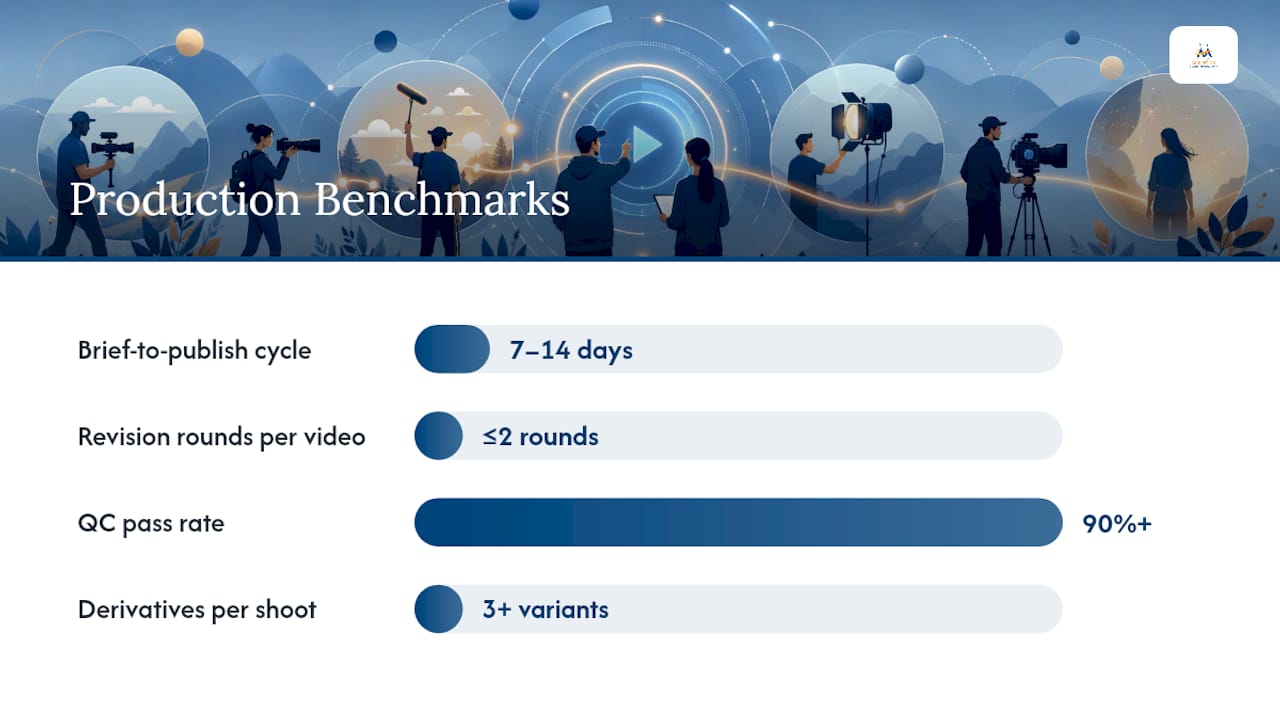
These benchmarks come from operational playbook guidance for scaling video production. Track them per project and review monthly to identify where your pipeline slows down.
Final deliverables, export specs, and distribution checklist
Publishing is where well-run projects either hold together or fall apart. A repeatable delivery checklist prevents the last-minute scrambles that produce incorrect aspect ratios, missing captions, or wrong codecs.
Export spec checklist by platform:
- YouTube: H.264 or H.265, 16:9, 1080p minimum (4K preferred), -14 LUFS audio, SRT caption file uploaded separately, sRGB color space
- Instagram Reels / TikTok / YouTube Shorts: H.264, 9:16, 1080×1920, -14 LUFS, captions burned in or uploaded as SRT
- LinkedIn: H.264, 16:9 or 1:1, 1080p, -14 LUFS, captions strongly recommended
- Owned website / email: H.264, 16:9, compressed for web (target under 100MB for standard length), captions as SRT or WebVTT
Platform-variant checklist:
- Master file (ProRes 422 or DNxHR, highest quality, for archive)
- YouTube/LinkedIn 16:9 encode
- Reels/Shorts/TikTok 9:16 encode
- Square 1:1 encode for feed posts
- Audiogram or static-image version for podcast or email distribution (when applicable)
Thumbnail and metadata checklist:
- Thumbnail: 1280×720 pixels, under 2MB, JPG or PNG, text readable at small sizes
- Title: primary keyword in first 60 characters
- Description: first 150 characters carry the key message and CTA
- Timestamps added for videos over 5 minutes
- Tags and category set correctly in the platform dashboard
Archiving and final sign-off:
- Final master stored in
/09_Archive/with read-only permissions - Checksum verified on the archived master file
- All platform variants logged in the project management tool with their publish URLs
- Approver of record signs the delivery confirmation in writing
- Project folder zipped and moved to long-term cold storage after 90 days
For teams publishing frequently across platforms, aligning your social media content workflow with your video delivery checklist prevents duplicate work and keeps your publishing calendar predictable.
Seven best practices and the pitfalls that derail projects
Treating production like a product development cycle is what separates teams that scale from teams that just get busier. These seven practices are the operational foundation.
- Standardize intake with a brief template. Every project starts with the same fields completed. No brief, no shoot.
- Batch shoots by location and talent. Group all scenes from the same setup into one shoot block. This single habit cuts per-video production time more than any other.
- Enforce naming conventions from day one. Set up folder templates and naming rules before the first file is created. Retrofitting naming conventions mid-project costs hours.
- Assign a single approver of record per project. Multiple approvers produce contradictory feedback. One person has final authority; everyone else submits notes through them.
- Use edit templates for recurring video types. A branded explainer template with pre-built lower thirds, color settings, and audio tracks cuts editing time on repeat formats.
- Run a QC checklist before every export. Push QC responsibility to the editor, not the producer. Editors who own QC catch errors earlier and take fewer revision rounds.
- Plan derivatives upfront. Decide at the brief stage which platform variants you'll create. Shooting with a 9:16 reframe in mind costs nothing; reframing in post after the fact often costs a reshoot.
Common pitfalls:
- Fragmented feedback: comments across four channels mean four reconciliation passes. One platform, one window, one approver.
- Late script changes: script revisions after the shoot day are the most expensive change you can make. Lock the script before camera rolls.
- Missing metadata: clips without scene and take data become unmanageable in post. Log on set, not in the edit suite.
- Poor backup discipline: a single-copy workflow is not a backup. Three copies, two locations, one checksum verification.
Post-mortem questions to ask after every project:
- Did we hit the brief-to-publish target? If not, which stage ran long?
- How many revision rounds did we complete? What caused them?
- Were all deliverables correct on first submission to the client?
- What would we do differently on the next project of this type?
Why treating video like product development changes everything
The teams that produce the most consistent, high-quality video content are not the ones with the biggest budgets. They're the ones with the clearest processes.
The operations-first approach means defining your video types before a project starts, mapping a default timeline for each type, and building a playbook that any team member can follow. When a new editor joins, they don't need to reinvent the workflow. They follow the playbook, use the templates, and run the QC checklist. The output is consistent because the process is consistent.

Batching is the most underrated efficiency lever in video production. When you plan three videos from the same location in a single shoot day instead of three separate days, you're not just saving travel time. You're compressing the entire brief-to-publish cycle for all three projects simultaneously. Combined with edit templates for recurring formats, batching can cut per-video time by a meaningful margin without sacrificing quality.
Metric tracking is what turns a good process into a provably good process. Monitoring brief-to-publish cycle time, revision rounds per video, and QC pass rate gives you concrete data on where the pipeline is healthy and where it needs attention. Most teams skip this step and then wonder why the same problems recur every quarter.
The final piece is automated handoffs. When an editor marks a cut as ready for review and the project management tool automatically notifies the approver, you've removed a manual step that frequently gets forgotten. Administrative tasks like deadline reminders and stage-gate notifications should run without anyone having to remember to send them. That's not a luxury. It's what keeps creative energy focused on the work that actually requires it.
For a deeper look at aligning this production approach with your broader content strategy, the video marketing guide covers how predictable pipelines connect to platform performance and audience growth.
Digital Marketing All supports your video production process
If your team is spending more time managing revisions than creating content, a workflow audit is the fastest way to identify where the process is breaking down. Digital Marketing All works with businesses to map their current production process, identify the specific stages where projects stall, and implement the templates, naming conventions, and review gates that reduce rework.
For teams that need managed, high-volume video output, the Growth Blast daily video ads service treats production as an operational cycle, delivering consistent video assets without the overhead of building an in-house production team from scratch. If you want to see how AI-powered content tooling fits into your workflow, the Digital Marketing All AI and content resource hub is a practical starting point. Reach out to schedule a workflow audit and get a clear picture of where your pipeline can improve.
Sources
These sources informed the guidance in this article and are worth bookmarking for deeper implementation work.
- A study on interruptions and recovery time (CHI paper)
- How to build a smooth video production workflow - LucidLink
- Video production workflow: The 4 stages, steps to success, and best practices
- Video Production Workflow: From Idea to Published Guide
- How to Organize a Video Production From Start to Finish (2026) | Storyflow
FAQ
What is a video production workflow?
A video production workflow is a repeatable sequence of stages (pre-production, production, post-production, and distribution) with defined deliverables, roles, and approval gates at each transition. The goal is consistent output quality with fewer revision rounds and predictable timelines.
What are the five stages of a production workflow?
The five phases are brief, pre-production, production, post-production, and delivery. Storyflow's production guide identifies handoffs between these phases as the most common failure point, which is why a single shared brief and written gate approvals matter at every transition.
What are the key stages of video editing?
The standard editing sequence runs: ingest and proxy creation, rough cut, picture lock, graphics and motion design, color grade, audio mix, captions, and final export. Picture lock is the critical gate; no structural changes happen after the director signs off on it.
How long does a standard video production take?
Simple social content can move from plan to publish in 1–2 days; standard marketing explainers typically take 7–14 days; complex multi-location productions run 3–6 weeks. Batching multiple videos into a single shoot day and using edit templates for recurring formats compress these timelines significantly.
How do you reduce revision rounds in video production?
Consolidate all feedback into a single review platform with timestamped, frame-accurate comments, assign one approver of record per project, and set a 48–72 hour review window. Research on interruption recovery shows that scattered feedback channels multiply the time cost of every revision cycle.