

Zapier Lead Router is a Route Lead action that automatically assigns incoming leads to sales reps using queues, routers, and rules you configure once and let run. It's the right call when you need flexible, no-code routing across forms, ad platforms, and CRMs. Skip it if your team needs built-in shift-aware claiming or automatic escalation timers baked in without extra Zaps.
TL;DR:
- Lead Router uses 5 Zapier tasks per lead for routing, with additional tasks for each downstream action like CRM updates or notifications.
- Weighted round-robin distribution helps prioritize top-performing reps or ramp up new hires, but requires ongoing adjustments based on performance data.
- Proper setup involves limiting extra routing fields and testing fallback behavior, weight adjustments, and lead flow before going live.
- The system’s effectiveness depends on maintaining accurate queues, rep availability, and regular rule audits to prevent silent misassignments.
- Digital Marketing All offers end-to-end setup and maintenance, ensuring the routing logic stays accurate and targeted without ongoing team management.
Table of Contents
- What Does Zapier Lead Routing Actually Do?
- How Do You Set Up Zapier Lead Routing?
- How Does Lead Router Connect to Your CRM and Notifications?
- What Are the Best Practices for Scaling Lead Routing?
- How Do Queues, Routers, and Rules Work Together?
- How Many Zapier Tasks Does Lead Routing Use?
- When Should You Choose Lead Router Over a Dedicated Platform?
- Let Digital Marketing All Build and Maintain Your Routing System
- Sources
- FAQ
What Does Zapier Lead Routing Actually Do?
Lead Router works with a handful of building blocks, and understanding them upfront saves you from rebuilding your setup twice. A field is any piece of lead data you want to route on, like territory, company size, or product interest. A sales rep profile holds each rep's identity and their queue memberships. A queue groups reps who can receive a given type of lead, and a router is the container that runs your rules in sequence through a series of steps. When no rule matches, the fallback sales rep catches the lead so nothing falls through the cracks.
Distribution happens one of two ways. Strict round-robin cycles leads evenly, rep by rep, which works well when your team has equal capacity and experience. Weighted round-robin skews the split, so a senior rep might get 40% of leads while a new hire gets 10% while ramping up. Zapier documents both distribution types as native options inside the router configuration.
Lead Router isn't limited to CRM-native leads, either. It accepts any Zap trigger, meaning you can pull leads from:
- Web forms and landing pages
- Facebook or Google Lead Ads
- Chat widgets and scheduling tools
- Webhooks from custom-built apps
From there, it can push assignments into your CRM, Slack, email, or virtually any app in Zapier's ecosystem.
How Do You Set Up Zapier Lead Routing?
Before you touch the Quickstart wizard, decide which fields actually determine routing. Most teams land on territory, company size, and product interest, but resist the urge to add every field you can think of. Every extra field is another rule to maintain later.
Once you know your fields, the setup follows a predictable sequence:
- Open the Quickstart wizard. It walks you through adding fields, adding reps, creating queues, and naming your router, and it's the fastest way to get the underlying data model right the first time, according to Zapier's own guide.
- Build the routing Zap. Start with your lead source as the trigger, then add a Route Lead action.
- Map your fields. Match each trigger field (like "state" or "employee count") to the corresponding Lead Router field.
- Test the step. Run a sample lead through and confirm it lands in the queue you expect.
- Add downstream actions. Once routing works, attach steps that create or update CRM records and notify the assigned rep.
Before calling it done, run through a short testing checklist: send a lead that matches no rule to confirm the fallback rep catches it, send several leads through a weighted queue to eyeball the split, and simulate a rep being removed from a queue to make sure leads redirect correctly.
Pro Tip: *Build your test cases before you touch the live Zap.
How Does Lead Router Connect to Your CRM and Notifications?
Lead Router doesn't work alone. The pattern that holds up under real volume is a routing Zap that decides who gets the lead, paired with a main Zap (or continuation of the same Zap) that decides what happens next. Treat these as two distinct jobs, even if you build them in one Zap, because separating the logic makes both easier to debug.
Once Lead Router assigns a rep, map that output to your CRM's assignee or owner field so the record shows up correctly on the rep's dashboard, not just in Zapier's history. If you're updating an existing contact, you'll also need to handle the CRM's internal ID rather than creating duplicate records.
From there, a few downstream actions do the heavy lifting:
- Create or update the CRM contact or deal with the routed rep as owner
- Send a Slack or email notification so the rep sees the lead immediately
- Log the assignment event somewhere central for later auditing
For teams with a rotating bench of reps, Zapier's "Find or Create Sales Rep" actions and webhook support let you add or remove reps dynamically instead of manually editing the router every time headcount changes. Lead Router integrates with thousands of apps, which means non-CRM sources like ad platforms or scheduling tools can feed the same pipeline as your website forms.
What Are the Best Practices for Scaling Lead Routing?
Treat Lead Router as the single source of truth for routing logic, not a mirror of whatever your CRM happens to say. Practitioners who bolt routing rules onto CRM workflows and Lead Router rules simultaneously end up debugging two systems that disagree with each other. Keep routing decisions in one place.
Rep availability is where most routing setups quietly break. A rep on vacation who's still active in a queue keeps getting leads nobody answers. The fix is a maintenance Zap that syncs with a calendar or HR system, such as Google Calendar or BambooHR, and automatically pulls reps out of rotation when they're out and adds them back when they return.

Weights deserve the same ongoing attention. A new hire's low weight should climb as their close rate improves, and Zapier supports dynamically adjusting weights tied to performance data instead of leaving every rep frozen at their onboarding-day split.
Pro Tip: Schedule a recurring 15-minute routing audit every two weeks. Pull up Zap history, spot-check five recent assignments against your rules, and confirm the fallback rep hasn't quietly absorbed leads that should have matched a real rule.
A short list of habits that prevent most routing failures:
- Review Zap history weekly for silent errors
- Build an alert for whenever the fallback rep fires
- Re-test weighted distribution after every headcount change
- Confirm CRM sync after any field mapping edit
How Do Queues, Routers, and Rules Work Together?
Queues get evaluated in the order you add them as steps, and that order determines precedence when a lead could technically match more than one rule. A queue itself is reusable across multiple routers, but the rules attached to it only apply inside the specific router where you've placed that queue step, according to Zapier's documentation on Lead Router.
A basic maintenance checklist keeps this manageable as your team grows:
- Add or remove reps from queues as headcount changes.
- Update weights on a set cadence, not just when someone complains
- Re-test fallback behavior after every structural change
- Rotate reps periodically so exposure to hot leads stays even
When an assignment looks wrong, don't guess. Open the Zap history and routing pages together, trace the specific lead through each step, and check which rule actually fired versus which one you expected to fire. Nine times out of ten, the mismatch traces back to field mapping, not the routing logic itself.
How Many Zapier Tasks Does Lead Routing Use?
Every routed lead costs Zapier tasks, and the number is bigger than most teams assume when they're estimating a plan. As of June 1, 2026, each Route Lead step consumes 5 tasks per lead, and every downstream action, like a CRM update or a Slack ping, adds its own task cost on top of that under each app's normal rules.
By the Numbers: A routing Zap alone costs 5 tasks per lead. Add a CRM update and a Slack notification, and a single routed lead can consume 7 to 8 tasks total before you've done anything else with it.
Run 500 leads a month through that same pattern and you're looking at 3,500 to 4,000 tasks just for routing and immediate follow-up, before other automations touch your account. To keep usage in check, consolidate follow-up actions where you can, avoid re-running test leads through the live Zap once it's verified, and check your task usage dashboard monthly so a volume spike doesn't surprise you mid-cycle.
When Should You Choose Lead Router Over a Dedicated Platform?
Lead Router earns its keep when your team already runs on Zapier, needs cross-app flexibility, and has someone willing to own the Zaps long-term. It struggles when you need built-in claim-and-accept workflows, shift-aware scheduling, or automatic escalation timers without stitching together extra automations yourself.
Before committing, weigh four factors: your monthly lead volume, whether you truly need claiming or escalation logic, whether anyone on your team can maintain Zaps as rules evolve, and how predictable you need your monthly cost to be; evaluating CRM and marketing automation solutions can help clarify your platform trade-offs.
— Diane O'Brien
Let Digital Marketing All Build and Maintain Your Routing System
Setting up Lead Router correctly the first time saves you from months of silent misfires. Digital Marketing All builds the routing Zaps, maps your fields to CRM assignee data, and writes the maintenance playbooks that keep availability and weights current, so your team doesn't inherit a fragile system nobody wants to touch. We handle the two-Zap wiring pattern, the fallback logic, and the audit cadence that keeps leads from silently disappearing into the wrong queue.
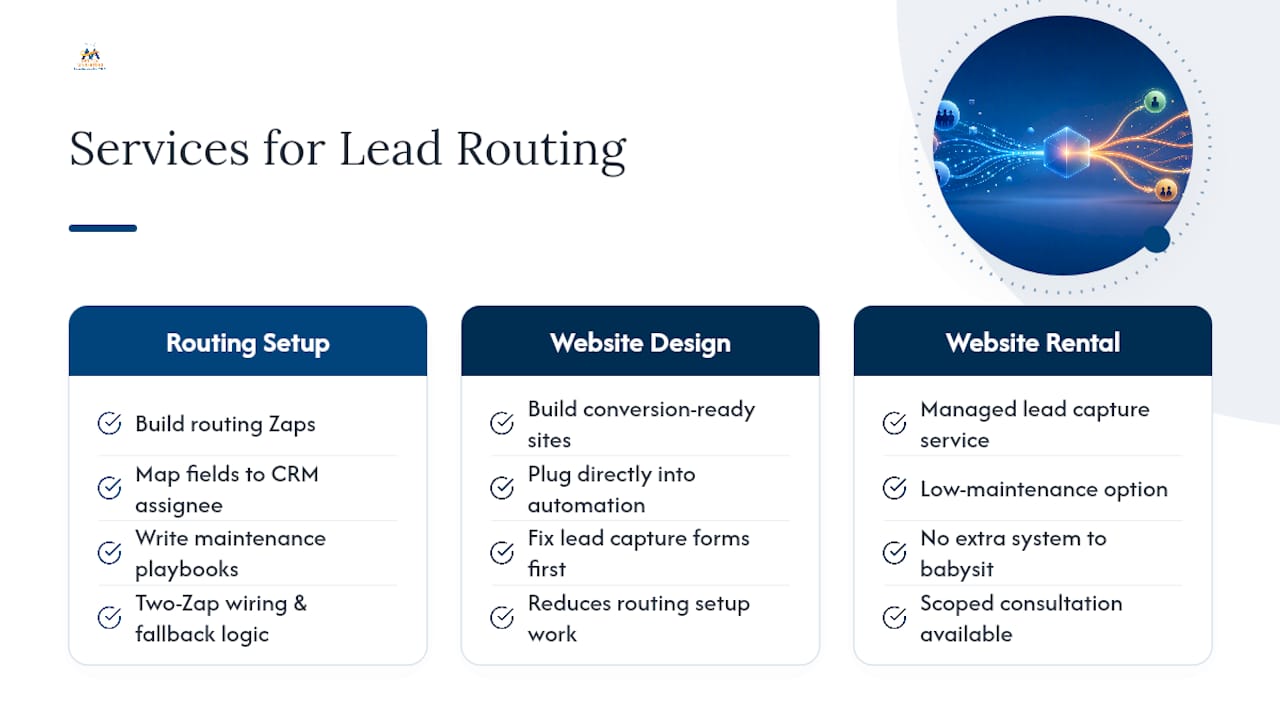
If your lead capture forms need work before routing even matters, our website design service builds conversion-ready sites that plug directly into your automation stack. Prefer a managed, low-maintenance option instead? Our website rental service handles lead capture without adding another system for your team to babysit. Reach out for a scoped consultation and we'll map out exactly what your routing setup needs.
Sources
- Distribution types in Zapier Lead Router – Zapier
- Zapier Lead Router: Automatically distribute leads to your sales team
FAQ
What Is the Difference Between Strict and Weighted Round-Robin?
Strict round-robin distributes leads evenly across every rep in a queue, while weighted round-robin gives specific reps a larger or smaller share, useful for ramping new hires or favoring top performers.
How Do I Send a Lead Into Zapier Lead Router?
Add a Route Lead action to your Zap, select your router, map your trigger's fields to the matching Lead Router fields, then test the step before layering in downstream CRM or notification actions.
What Happens When a Lead Doesn't Match Any Routing Rule?
It goes to the fallback sales rep you designate during setup, which keeps unmatched leads from getting lost instead of silently sitting unassigned.
How Many Zapier Tasks Does a Routed Lead Use?
As of June 1, 2026, the Route Lead step consumes 5 tasks per lead, and each downstream action, like creating a CRM record or sending a notification, adds further tasks based on that app's own rules.
Can Digital Marketing All Set Up Lead Router for My Team?
Yes. Digital Marketing All builds the routing Zap, maps CRM fields, configures notifications, and sets up the maintenance Zaps that keep rep availability and weights current as your team changes.