

Automated lead routing assigns every new lead to the right rep the moment it arrives, using rules, availability checks, and account matching instead of a human scanning a spreadsheet. The payoff is speed: reps reach out in minutes instead of hours, and that gap alone is often the difference between a closed deal and a lead gone cold. The rest of this guide walks through how the system works, which routing method fits your team, and the exact steps to build one.
TL;DR:
- Most effective routing systems prioritize existing account owners first before applying territory and rules-based filters, safeguarding long-term customer relationships.
- Enrichment, data accuracy, and jump-to action layers are critical because misroutes often stem from incomplete or inconsistent lead information.
- Monitoring key metrics like time-to-first-contact, SLA compliance, and reassignments weekly helps identify and fix routing issues before they impact conversion rates.
- Building a reliable system requires defining clear attributes and hierarchy, auditing and enriching data, and gradually testing in shadow mode before full deployment.
- Teams should match their routing complexity to their size and needs, using CRM-native rules for simple cases and dedicated orchestration platforms for more advanced, multi-source, or multi-region setups.
Table of Contents
- What Does It Mean to Route Leads Automatically?
- Which Routing Method Fits Your Sales Team?
- How Do You Set Up Automated Lead Routing?
- How Do You Keep Routing Rules Manageable as You Scale?
- What Metrics and SLAs Should You Track?
- What Should You Look for in Lead-Routing Software?
- What Causes Most Lead-Routing Failures?
- What Actually Matters When You Build This
- Get Help Building Automated Lead Routing That Actually Holds
- Sources
- FAQ
What Does It Mean to Route Leads Automatically?
Automated lead routing is a system, not a single feature. It moves a lead through a defined sequence the instant it enters your funnel: capture, enrichment, lead-to-account matching, rule evaluation, assignment, notification, and SLA enforcement. Each stage exists to answer one question. Who is this? Do we already know them? Which rep or team should own them? Did that person actually get notified?
Compare that to how most teams still operate. A lead fills out a demo request form at 4:45 PM on a Friday. It lands in a shared inbox or a CRM view nobody checks until Monday morning. By the time a rep calls, the prospect has already talked to two competitors. An automated system does the opposite: the lead hits the CRM, gets enriched with firmographic data, gets matched against existing accounts, and lands in the right rep's queue within seconds, complete with a Slack or email alert.
Contacting a lead promptly after submission produces dramatically higher qualification and conversion rates than longer delays, and many industry benchmarks recommend rapid contact for demo requests, with escalation triggers at varying intervals depending on lead priority. That single number, documented by CRO Expert, is why revenue teams treat routing as an operations problem worth solving early, not a nice-to-have automation.
The architecture behind this typically runs in layers: enrichment feeds lead-to-account matching, which feeds scoring, which feeds the actual routing logic, and availability checks close the loop. Skip a layer, and misroutes multiply.
Which Routing Method Fits Your Sales Team?
There's no single correct routing method. Most mature revenue operations setups layer two or three together, applied in a specific order so the system checks the highest priority match first and falls back only when nothing higher up applies.
The common methods, outlined across industry lead-assignment guides, break down like this:
- Round-robin: distributes leads evenly across a pool of reps in rotation. Best for teams where reps are interchangeable and speed matters more than specialization, like an SDR pod handling inbound demo requests.
- Territory-based: assigns leads by geography, often tied to state, region, or country. Works well when reps carry local market knowledge or your pricing and compliance vary by region.
- Rules-based (criteria matching): routes on specific attributes like company size, industry, or product interest. This is the workhorse method for B2B teams selling multiple products to different buyer segments.
- Account-based: checks whether the lead's company already has an assigned owner and routes there first, protecting existing relationships from getting reassigned to a stranger.
- Availability-based: checks real-time calendar or CRM status before assigning, so leads don't land with someone out on PTO or already buried in a backlog.
- Weighted or skill-based hybrids: blend rotation with capacity or expertise, giving more leads to top performers or matching technical leads to reps with relevant product knowledge.
The rule hierarchy matters more than any single method. A well-built system checks for an existing account owner first. If no owner exists, it checks territory. If territory doesn't narrow things down enough, it falls into a rules-based filter, and only then does it drop into a round-robin or weighted pool for final assignment. This order protects named-account relationships from being disrupted by a generic rotation, which is one of the fastest ways to frustrate both a customer and the rep who's been nurturing them for months.
Tie-breakers deserve explicit rules too. If two reps have equal territory claim, do you default to whoever has fewer open leads that day, or to a strict alphabetical rotation? Weighted rotations solve this by assigning probability rather than a strict 1:1 split, useful when a senior rep can handle a higher volume than someone ramping up. Skill-based matching solves a different problem entirely: routing a lead asking about a specific integration to the one rep who's actually sold that integration before.
How Do You Set Up Automated Lead Routing?
Building a routing system that actually holds up under real volume takes more than flipping on a CRM workflow. Follow these five steps in order, and resist the urge to skip the audit step because it feels less exciting than building the workflow itself.
- Define your segments, ICP, and routing logic. Before you write a single rule, decide which attributes actually predict a good fit. Company size, industry vertical, and product interest are common starting points, but pull from your ideal customer profile framework rather than guessing. Write explicit rule examples on paper first: "If company size is over 500 employees and product interest is Enterprise, route to the Enterprise pod." Vague logic produces vague routing.
- Audit and enrich your data. Routing rules are only as good as the fields they read. Require key fields at capture (company name, employee count, region) and layer on enrichment so incomplete form submissions still get matched correctly. This is also where lead-to-account matching needs to be switched on, so an inbound lead from an existing customer's domain doesn't get treated as a stranger.
- Build the workflow in your CRM or orchestration tool. Structure it as trigger, condition, action, fallback. A lead comes in (trigger), the system checks account ownership and territory (condition), it assigns to the matched rep (action), and if no match exists, it drops into a pooled queue instead of disappearing (fallback). This is the exact structure that separates a system that scales from one that quietly breaks the first time an edge case appears.
- Configure notifications and SLA timers. A perfectly routed lead is worthless if the rep never sees it. Set instant alerts through whatever channel your reps actually check, and pair every assignment with an SLA timer. If the lead isn't contacted within your target window, an escalation path should automatically notify a manager or reassign the lead. SLA enforcement with automatic reassignment functions as the guardrail that keeps speed-to-lead intact even when a rep misses a notification or is out sick.
- Test in shadow mode, then roll out gradually. Run the new logic alongside your existing process without letting it actually assign leads yet. Watch the audit logs for a week or two, catch misroutes before they touch a real prospect, then flip it on for one team or territory before expanding company wide.
Pro Tip: Run your shadow-mode test during a week with realistic lead volume, not a slow week. A rule set that looks flawless on Tuesday can fall apart the moment a marketing campaign triples your inbound traffic on Thursday.
If you're capturing leads through Google Ads or paid forms, make sure your capture pipeline feeds the CRM cleanly before routing logic ever touches it. A CRM-first approach to lead forms prevents the routing engine from working off incomplete or duplicated records in the first place.
How Do You Keep Routing Rules Manageable as You Scale?
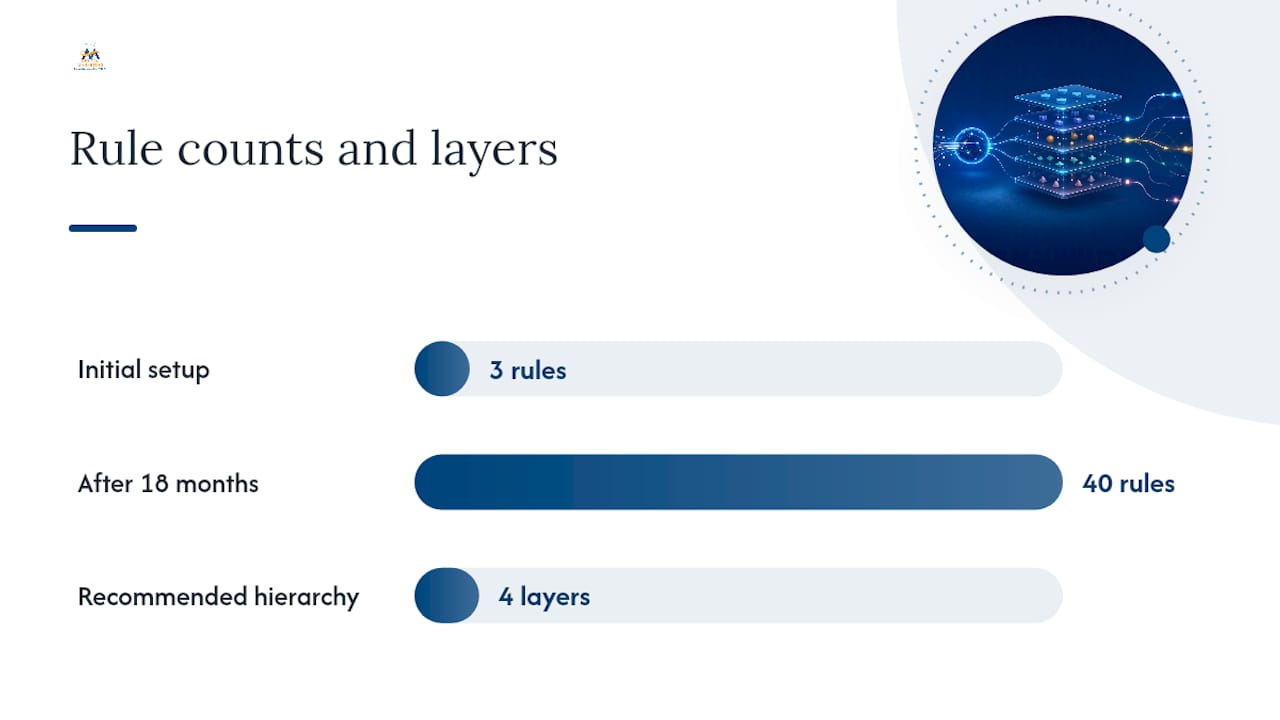
Rule sprawl is the quiet killer of otherwise good routing systems. A setup that starts with three clean rules often ends up, eighteen months later, with forty overlapping conditions that nobody fully understands, and leads start falling through gaps nobody notices until a prospect complains that no one ever called them back.
The fix isn't more rules. It's fewer, better-organized ones, applied in a strict hierarchy instead of a tangle of exceptions layered on top of exceptions.
- Document every rule and its purpose in a single source of truth, not scattered across CRM workflow names that only make sense to whoever built them.
- Keep the hierarchy simple: owner match, then territory, then rules-based filter, then pool. Resist adding a fifth or sixth layer unless you can point to a specific failure it fixes.
- Always check for an existing account owner before a lead ever touches a pooled assignment. This single check, emphasized in lead-routing best-practice guides, prevents the single most common complaint from account owners: watching a lead from their own customer get handed to a stranger.
- Build in availability checks and capacity caps so no single rep gets buried while others sit idle, and name a backup for every owner so PTO doesn't stall a hot lead.
- Route anything that doesn't cleanly match a rule into a watched exception queue rather than a silent dead end.
- Schedule a recurring rule audit, quarterly at minimum, and use version control on your logic so a bad change can be rolled back without reconstructing it from memory.
Pro Tip: Assign one person, not a committee, as the owner of your routing logic. Systems maintained by consensus tend to accumulate exceptions faster than anyone can prune them.
The layering principle from the setup process applies here too: check for an existing owner first, then territory, then pooled distribution. That order doesn't change as you scale. What changes is how many segments and pools sit underneath it, and that's exactly why documentation matters more as headcount grows.
What Metrics and SLAs Should You Track?
Routing rules matter, but the only way to know they're working is to measure them the same way every week, not just when a deal falls through and someone asks what happened.
Track these five metrics as a baseline:
- Time-to-first-contact: the clock from lead creation to first rep touch. This is the single most predictive metric for conversion.
- Contact rate: the percentage of routed leads that actually get a response within your target window.
- SLA compliance: the share of leads contacted inside your defined SLA, broken out by lead priority tier.
- Reassignment rate: how often leads get bounced from their original assignment, a strong signal of availability or capacity problems.
- Match rate to existing accounts: how reliably your lead-to-account matching correctly identifies leads tied to current customers.
A commonly cited SLA target is contacting 80% of demo requests within five minutes, with escalation windows of 15 to 60 minutes for lower-priority leads. CRO Expert's benchmark data frames this as the threshold where response speed stops being a competitive advantage and starts being table stakes.
Build a dashboard that surfaces these numbers daily, not monthly. A sudden spike in reassignment rate or a dip in SLA compliance is usually the earliest sign that a rule broke, a rep's calendar sync failed, or lead volume outpaced your pool's capacity. Set alerts on the thresholds that matter most, so a regression gets flagged before it shows up three weeks later in your conversion numbers.
What Should You Look for in Lead-Routing Software?
Not every team needs the same tooling. A five-person sales team with one product line can often run effective routing on CRM-native assignment rules alone. A company selling across multiple business units, regions, and product lines usually outgrows native tools fast and needs something closer to a dedicated orchestration layer.
Regardless of which tier fits your team, look for these capabilities:
- Real-time rule evaluation: rules that fire the instant a lead is created, not on a batch schedule that runs every few hours.
- Lead-to-account matching: automatic detection of whether a lead belongs to an existing customer or named account.
- Enrichment built in or integrated: the ability to fill in missing firmographic data before rules evaluate it.
- Calendar and availability integration: routing that respects PTO, working hours, and real-time capacity.
- SLA timers with escalation: automatic countdown and reassignment when a lead sits untouched too long.
- Audit logs: a record of every routing decision, so you can debug a misroute without guessing.
- Multi-source capture: the ability to route leads consistently whether they arrive from a form, a chatbot, an ad, or an inbound call.
Many teams start with CRM-native assignment rules for immediate gains and only migrate to a dedicated orchestration platform when they need cross-object logic or complex fallback rails, as LeanData's guide for B2B teams points out. If your rules fit comfortably in a native workflow builder, there's no reason to add a separate platform just because it looks more sophisticated. Add complexity when the native tool's limits are actually costing you leads, not before.
Whichever route you take, no-code workflow builders make initial setup and testing far more approachable than hand-coded logic, and they typically make rollback easier if a rule set needs adjusting. If you're weighing which parts of your funnel to automate first, a broader look at which marketing tasks make sense to automate versus which still need a human eye can help frame that decision beyond routing alone.
What Causes Most Lead-Routing Failures?
Most routing failures trace back to one of four problems, and all four are fixable without ripping out your entire system.
Unmatched leads happen when incoming data doesn't cleanly map to an existing account or rule. Build a fallback queue for these instead of letting them vanish into an unowned list, and prioritize enrichment over manual review since a human sorting through unmatched leads doesn't scale past a handful per day.
Duplicates and mismatches usually stem from inconsistent form fields or multiple capture sources feeding the CRM differently. Standardize required fields at the point of capture and run a monthly check for duplicate account records, since routing logic built on messy data misroutes no matter how well the rules are written.
After-hours and PTO coverage gaps are solved with named backups and availability checks baked into the routing logic itself, not a manual note in a shared calendar that half the team forgets to check.
When reassignment rates or SLA breaches climb, run a quick audit: check whether a specific rule is misfiring, whether one pool has grown understaffed relative to its lead volume, or whether a recent CRM field change quietly broke a condition your rules depend on.
What Actually Matters When You Build This
Get the basics reliable before you chase sophistication. A simple round-robin with a fallback queue that fires every time beats an elaborate twelve-rule system that breaks under real volume. Clean data is the real unlock here: routing logic, and any AI scoring layered on top of it, only works as well as the CRM fields feeding it. Treat routing as an ops metric you check weekly, not a project you finish once and forget.
— Diane O'Brien
Get Help Building Automated Lead Routing That Actually Holds
Reading about routing logic is one thing. Building a system that survives a marketing campaign spike, a rep's vacation, and a messy CRM is another. We handle the full build: CRM integration, workflow construction, data enrichment, AI-driven lead qualification, and SLA configuration with real escalation paths, not just a rule that looks good in a demo. If your leads are still landing in a shared inbox or your routing rules haven't been touched since the CRM was set up, a routing audit maps out exactly where leads are slipping through and what a working rollout plan looks like. Start with a review and reputation management consultation to see how a properly routed, well-managed lead pipeline connects directly to the reviews and referrals that keep new leads coming in.
Sources
- Automated lead routing: How to set up your own fast
- How to Route Leads Automatically: Lead Assignment Best Practices
- Lead Routing Software Guide for B2B Teams
FAQ
How Do You Generate Leads Automatically?
Automated lead generation typically combines paid and organic capture (ads, landing pages, chatbots) with CRM workflows that qualify and score leads the moment they arrive, feeding directly into a routing system so no manual handoff is needed between capture and first contact.
What Does Lead Routing Mean?
Lead routing is the process of assigning an incoming sales lead to the right rep or team, based on rules like territory, account ownership, or product interest, so follow-up happens without manual sorting.
What Is the Five-Minute Rule for Leads?
The five-minute rule holds that contacting a new lead within five minutes of submission dramatically increases the odds of qualifying and converting them compared to longer delays, which is why many teams set an SLA target of contacting 80% of demo requests within that window.
What Is the Best Lead Routing Software?
There's no single best option. Teams with simple needs often do fine with CRM-native assignment rules, while companies with multiple business units or complex fallback logic typically need a dedicated orchestration layer with real-time evaluation and SLA timers. We can help assess which tier fits your current setup and configure it end to end.