

No, you cannot directly delete someone else's Google review. Removal happens only two ways: the reviewer takes it down themselves, or Google removes it after determining it violates their content policies. Your immediate move is to report the review through your Business Profile and start gathering evidence that proves a violation.
TL;DR:
- Most fake or harmful reviews are only removed if the reviewer deletes them voluntarily or Google identifies a clear policy violation, not through direct deletion by the business.
- Reporting reviews for spam, off-topic content, hate speech, impersonation, or illegal claims requires precise evidence and monitoring through Google's review management tools, often taking days to weeks for resolution.
- Simply receiving a negative review does not qualify for removal; only content violating specific policies like fake engagement or malicious intent is eligible for removal.
- Paid services offer documented, strategic review management efforts but cannot guarantee review deletion, and scams often involve promises of guaranteed removal or illegal tactics.
- Legal action over negative reviews is rarely effective unless the review contains false factual statements; most opinions are protected speech and require significant time and expense to pursue.
Table of Contents
- How to Remove a Google Review: Immediate Steps to Take Right Now
- How Do You Report and Appeal a Google Review?
- What Reviews Qualify for Removal Under Google's Policy?
- What to Do When Google Won't Remove the Review
- Are Paid Google Review Removal Services Legitimate?
- Can You Sue Someone Over a Negative Google Review?
- Why Chasing Removal Isn't the Whole Strategy
- Get Help Managing Your Google Reviews and Reputation
- Sources
- FAQ
How to Remove a Google Review: Immediate Steps to Take Right Now
Once you spot a damaging review, speed and documentation matter more than emotion. Here's the sequence that actually moves the needle.
- Screenshot everything first. Capture the review, the reviewer's profile, the timestamp, and any related reviews on other business listings before anything changes or disappears.
- Pull your transaction records. Check whether the reviewer's name, date, or details match any customer, invoice, or appointment in your system. No match is often the strongest evidence you have.
- Report the review from Google. Open Google Maps or Search, find the review, click the three-dot menu next to it, and select "Report review." You can also report directly from your Business Profile.
- Use the Reviews Management Tool to track the case. This dashboard shows your report's status and unlocks a one-time appeal if the first report gets denied.
- Contact the reviewer only if it's safe to do so. Keep the tone neutral, never admit fault, and never share private customer information in a public reply.
Pro Tip: Never respond to a fake or hostile review in anger. A calm, factual public reply often does more to protect your reputation than the removal attempt itself, since future customers read your response, not just the complaint.
How Do You Report and Appeal a Google Review?
Reporting correctly the first time saves weeks. Google's Business Profile Help confirms that businesses can flag reviews for policy violations, but only the reviewer or Google can actually remove content.
- From Search or Maps: Find your business, scroll to reviews, click the three dots on the specific review, and choose "Report review."
- From your Business Profile: Sign in, go to the reviews tab, locate the review, click the flag icon, and select the reason that matches the violation.
- Confirm your account in the Reviews Management Tool. This is where you monitor every report you've filed.
- Watch for status updates. You'll see one of four labels: Decision pending, Report reviewed with no policy violation found, Escalated for further review, or Review removed.
- File the one-time appeal if denied. Add specific evidence, cite the exact policy you believe was violated, and avoid vague language like "this isn't fair."
Google does not publish a guaranteed response window, but most reports resolve within a few days to a couple of weeks. Escalated cases can take longer, especially when Google requests more documentation.
What Reviews Qualify for Removal Under Google's Policy?
Google removes content that breaks specific rules, not content that simply hurts your feelings. Knowing the exact category to cite when you report a fake Google review dramatically improves your odds.
- Spam or fake engagement: Reviews posted by bots, incentivized reviewers, or accounts with no real connection to your business.
- Off-topic content: A rant about a different location, a political tirade, or a review that has nothing to do with your product or service.
- Profanity or hate speech: Slurs, threats, or language that violates Google's conduct standards.
- Impersonation or conflict of interest: A former employee, competitor, or ex-partner posing as a customer.
- Illegal content: Defamatory claims presented as fact, or content that violates a specific law.
For local businesses, the most common patterns are competitor sabotage, disgruntled former employees, and duplicate copy-paste reviews that show up across multiple unrelated listings.
A review that says "the food was cold and the wait was too long" is a genuine, if harsh, opinion. Google will not remove it just because it's unflattering. The line Google actually draws is between honest criticism and manufactured, fake, or malicious content.
What to Do When Google Won't Remove the Review
Sometimes a report comes back with "no policy violation," and that's the end of the road for deletion. It's not the end of the road for your reputation.
- Reply publicly and professionally. Acknowledge the concern, avoid defensiveness, and invite the person to continue the conversation offline.
- Ramp up genuine review requests. Text or email recent customers within 24 to 48 hours of service, when satisfaction is freshest.
- Refresh your listing. New photos, updated business hours, and regular Google posts all signal an active, trustworthy profile.
- Watch your review velocity. A steady stream of recent, authentic reviews pushes older negative ones further down the page.
Reputation specialists consistently point to a professional public reply paired with active review solicitation as the most effective response once removal fails. One bad review buried under twenty recent good ones carries far less weight than the same review sitting alone.
Pro Tip: Ask happy customers while the experience is still fresh in their mind. A request sent a week later gets ignored; one sent the same day often gets answered within hours.

Are Paid Google Review Removal Services Legitimate?
Legitimate reputation vendors do real work: they document evidence, file formal appeals citing specific policies, run structured review-growth campaigns, and monitor your profile continuously. That's a service worth paying for.
Red flags look different. Watch for:
- Guaranteed removal promises. No agency, and no dashboard, can delete a review that doesn't violate policy. There's no paid backdoor into Google's system.
- DMCA abuse. Filing a copyright claim against a review that isn't actually copyright infringement can get your own account flagged.
- Mass-flagging campaigns. Coordinated reporting on a review that doesn't violate policy usually fails and can draw scrutiny to your account.
- Requests to fabricate evidence. Any vendor asking you to invent a transaction record or falsify documentation is asking you to commit fraud.
Before signing with anyone, ask exactly what tactics they use, require a written scope that excludes illegal methods, and demand regular reporting on case status.
Can You Sue Someone Over a Negative Google Review?
Legal action exists, but it's a narrow, expensive lane, not a first resort.
- Most negative reviews are protected opinion. Courts generally treat "the service was terrible" as subjective speech, not a factual claim you can sue over.
- Defamation claims need false statements of fact. A reviewer claiming your restaurant "served expired meat that made me sick" when no such incident occurred crosses into potentially actionable territory.
- Subpoenas can unmask anonymous reviewers. This requires filing a lawsuit first, costs thousands of dollars in legal fees, and can take months.
- DMCA claims only apply to copyright violations. Using one against an opinion-based review is a misuse of the process and can backfire on your account.
Keep every Case ID from your reports in the Reviews Management Tool. That audit trail becomes essential if you ever escalate to an attorney or a court order.
Why Chasing Removal Isn't the Whole Strategy
Most business owners fixate on deleting the one bad review instead of building a profile strong enough that it barely matters. Report what genuinely violates policy, document everything, then shift your energy to steady review growth. Keep a simple removal log and run a monthly review audit. That habit, more than any single appeal, protects your rating over time.
— Diane O'Brien
Get Help Managing Your Google Reviews and Reputation
Chasing down every negative review, filing appeals, and rebuilding your star rating takes hours most business owners don't have between running the actual business. Professional services handle the parts that eat up your week: gathering the evidence a report needs, filing the appeal with the right policy citation, and building the ongoing review-growth campaign that keeps one bad review from defining your listing.
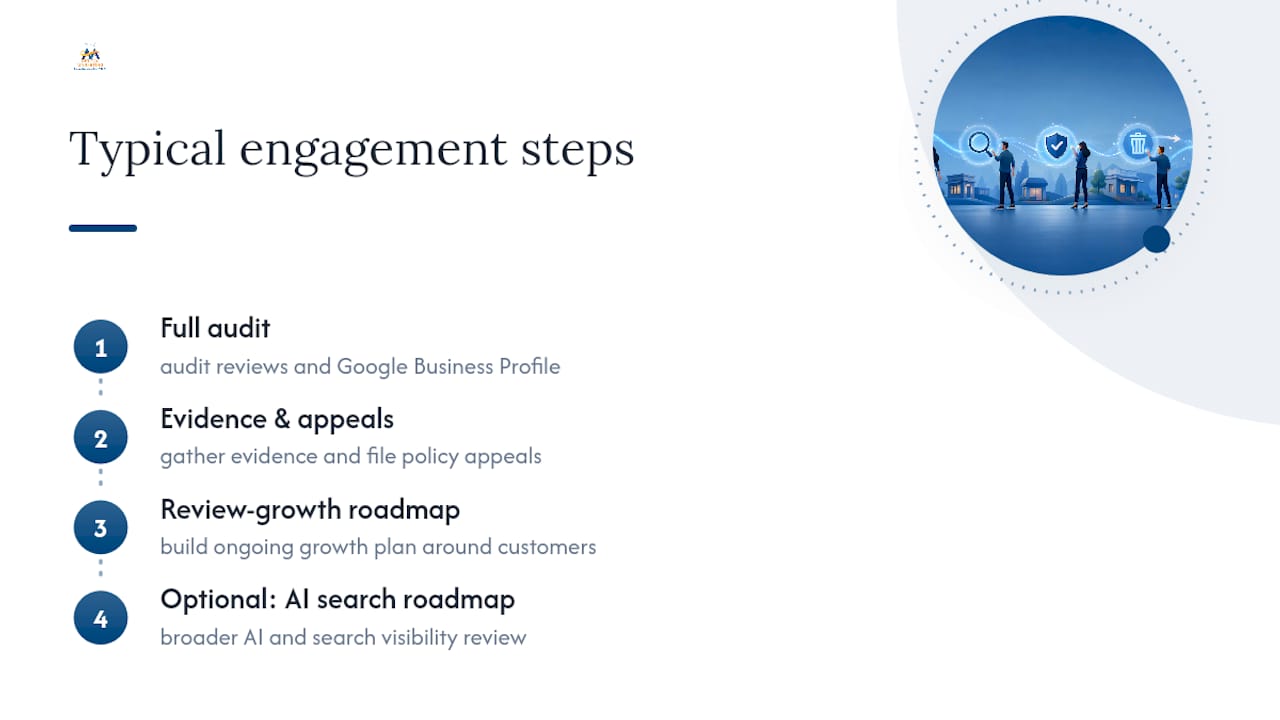
A typical engagement starts with a full audit of your current reviews and Google Business Profile, moves into evidence documentation and appeal submission for anything that violates policy, and ends with a review-growth roadmap built around your actual customer flow. If your AI and search visibility needs a broader look beyond reviews, our AI search roadmap covers how your business shows up across AI platforms too. Reach out today to get your Google Business Profile audited and start the recovery plan.
This article is general information, not a substitute for advice from a qualified lawyer. Consult a qualified legal professional about your own circumstances before acting on anything here.
Sources
- Manage your Google Business reviews - Google Business Profile Help
- How to remove a bad Google review (and what to do when you can’t)
FAQ
How do I permanently delete a Google review?
You can't delete it yourself unless you're the one who wrote it. The only permanent removal paths are the reviewer deleting it voluntarily or Google removing it after confirming a policy violation.
Can I delete a Google review that I left?
Yes. Open Google Maps, tap your profile icon, go to "Your contributions," find the review, and select delete. This only works for reviews you personally posted.
Can I delete someone else's Google review?
No business or individual can directly delete another person's review. You can only report it and hope Google's team agrees it breaks a specific policy.
How do I remove fake Google reviews for free?
Report the review through your Business Profile or the Reviews Management Tool at no cost, citing evidence like mismatched transaction records or duplicate text across other listings. This official channel is free; paid services add speed and documentation but don't guarantee an outcome policy alone doesn't already determine.