

If your Google Ads clicks aren't turning into sales or leads, the fix follows a specific order: verify tracking, then check intent, then fix the post-click experience. Chasing bid strategy before you rule those three out wastes both time and budget.
Run these checks in the next 30 minutes:
- Open your conversion action and confirm its status isn't stuck on "Awaiting conversions" or "Misconfigured."
- Check that the primary conversion action actually matches the goal you're bidding toward.
- Click through your own ad on mobile and see where a real buyer would land.
Key Takeaways
Fixing Google Ads that isn't converting requires verifying tracking first, then intent, then the post-click experience, since fixing any later than that just wastes the earlier work.
| Point | Details |
|---|---|
| Check tracking status first | Confirm your conversion action isn't Misconfigured or Awaiting Conversions before touching anything else. |
| Respect the conversion window | Wait out the 30 to 90-day reporting lag before judging a campaign's recent performance. |
| Match landing pages to ads | Align headline, offer, and CTA exactly with what the ad promised. |
| Tighten intent with negatives | Use the search terms report weekly to cut low-intent traffic from broad match keywords. |
| Give Smart Bidding enough data | Consolidate campaigns so each has enough monthly conversions to exit learning mode. |
| Get a professional audit | Digital Marketing All offers conversion troubleshooting and reputation-building services like review management for accounts stuck on clicks without sales. |
Table of Contents
- Why Google Ads Isn't Converting: What to Check First
- Common Reasons Google Ads Clicks Don't Convert
- How to Verify Your Conversion Tracking Is Actually Working
- The Conversion Window Problem Nobody Explains Well
- A Landing Page Checklist That Actually Moves Conversion Rates
- Targeting Mistakes That Waste Clicks on the Wrong People
- Bidding, Budget, and Attribution Traps
- Quick Experiments to Confirm What's Actually Broken
- How Digital Marketing All Helps When Ads Stop Converting
- Sources
- FAQ
Why Google Ads Isn't Converting: What to Check First
Don't touch bids yet. Broken tracking makes every other diagnosis unreliable, so it goes first.
- Tracking (10 to 20 minutes). Confirm tags are firing and conversions are landing in the right column.
- Intent and keywords (30 to 60 minutes). Pull the search terms report and see what people actually typed before clicking.
- Post-click experience (1 to 2 hours). Test load speed, message match, and the path to your form or phone number.
Only after these three are clean does it make sense to touch bidding or budget.
Common Reasons Google Ads Clicks Don't Convert
Most cases of Google Ads not converting trace back to one of these ten problems. Work through them in order, since fixing #6 while #1 is broken just gives you cleaner-looking bad data.
-
Broken or misconfigured conversion tracking. Diagnosis: your conversion count is flat or zero despite real traffic. Confirm it with Google's troubleshooter, which flags statuses like Active, Needs Attention, and Misconfigured. Fix: reinstall the tag or add the missing conversion linker, then test with a real submission.
-
Reporting lag masking real results. Diagnosis: conversions look worse this week than last, with no obvious cause. Confirm by comparing a 14-day-old date range against the trailing 3 days. Fix: wait out the conversion window before judging performance (more on this below).
-
Landing page mismatch. Diagnosis: high click-through rate, near-zero form fills. Confirm by loading the page exactly as a visitor would, on mobile, from the ad. Fix: align the headline and offer with the ad copy word for word.
-
Keyword intent mismatch. Diagnosis: clicks come in, but the search terms report shows research-stage phrases like "what is" or "how does." Fix: add negatives and tighten match types.
-
Weak or vague ad copy. Diagnosis: decent impressions, poor click-through rate, or clicks that bounce immediately. Fix: rewrite copy to state the specific outcome and include a concrete call to action, not a generic one.
-
Budget too thin to gather data. Diagnosis: campaign is "Limited by budget" and Smart Bidding never exits learning mode. Fix: consolidate spend into fewer, tighter campaigns.
-
Wrong bidding strategy for your conversion volume. Diagnosis: Target CPA or Target ROAS is choking traffic instead of growing it. Fix: switch to Maximize Conversions until you have enough volume to justify a target-based strategy.
-
Location and audience targeting errors. Diagnosis: spend is going to "interest" locations rather than actual physical presence. Fix: set location targeting to "presence" only if you serve a physical area.
-
Low Quality Score inflating cost per click. Diagnosis: your CPCs run high relative to competitors even with tight targeting. Quality Score reflects expected click-through rate, ad relevance, and landing page experience, so a low score raises what you pay for the same position. Fix: tighten ad group themes so each one maps to a handful of closely related keywords and a matching landing page.
-
Funnel drop-off after the click. Diagnosis: form starts get filled but never submitted, or calls ring and hang up. Fix: shorten the form, add a visible phone number, and check that your thank-you page fires the conversion tag.
Device and platform gaps deserve a separate look. It's common to see strong desktop conversion rates and weak mobile ones purely because a form field is too small to tap or a phone number isn't clickable.
Pro Tip: For B2B campaigns with long buying cycles, don't judge a campaign on last-click conversions alone. Check the assisted conversions and attribution reports to see if the ad is doing legitimate top-of-funnel work that a 30-day window won't capture.
Pro Tip: For appointment-based businesses, a "conversion" often happens off-platform (a phone call, a booked slot). Make sure call tracking and calendar-booking confirmations are wired into your conversion actions, not just form submits.
How to Verify Your Conversion Tracking Is Actually Working
Run this quick technical audit before touching anything else in your account:
- Google Tag Assistant: confirms whether your conversion tag fires on the right page and passes the correct parameters.
- Google Tag Manager preview mode: shows you exactly which tags fire, in what order, on a live test session.
- GA4 real-time reports: verify that events register the moment you complete a test conversion.
- Google Ads conversion summary: check the status column for each conversion action.
Status meanings, per Google's own troubleshooting guide: Active means data is flowing correctly. Needs Attention usually means low or zero recent volume. Misconfigured points to a tagging error. Awaiting Conversions just means the tag is installed but hasn't recorded one yet.
The most common fixes: add a missing conversion linker tag, correct a missing transaction ID, or reinstall a tag that silently stopped sending data.
The Conversion Window Problem Nobody Explains Well
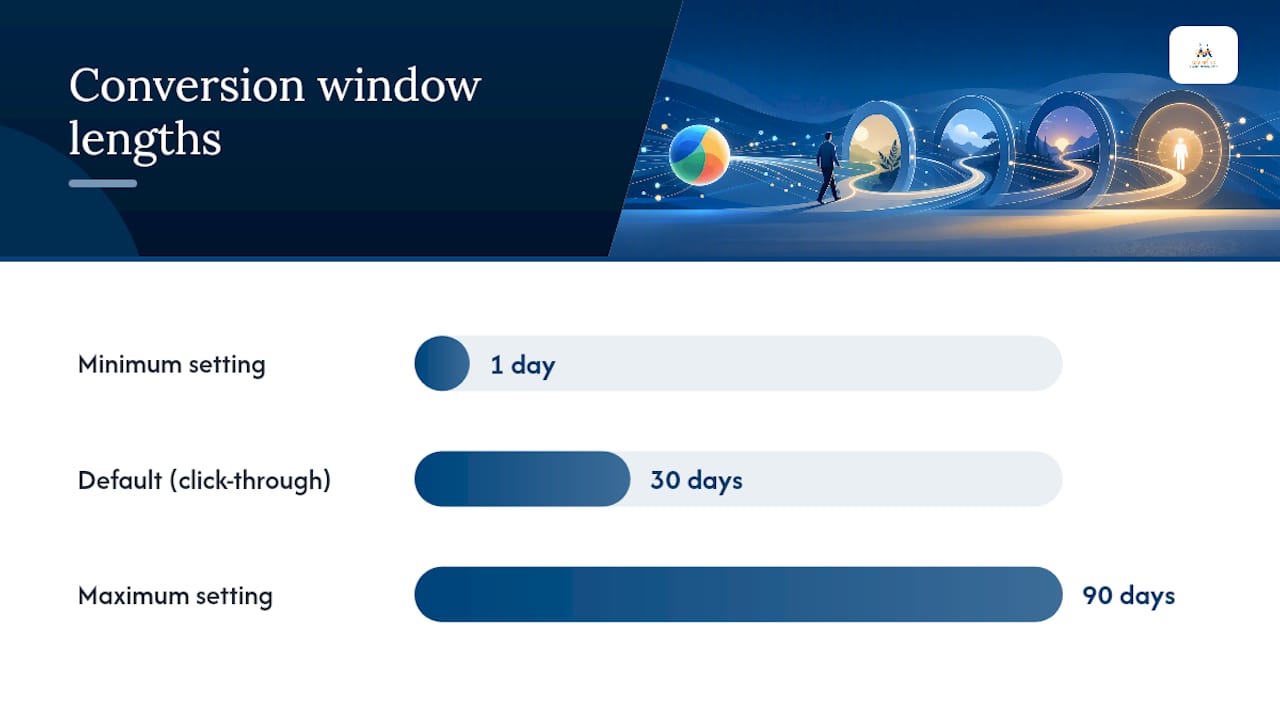
Here's the misunderstanding that causes the most panic: Google Ads uses a 30-day click-through conversion window by default, and that window can be edited from 1 to 90 days depending on the conversion source.
Conversions get reported against the date of the original click, not the date the conversion happened. That means a purchase that closes 25 days after the click shows up retroactively on the click's date, and full data for a given period can take up to 90 days to finalize. A campaign that looks dead this week might just be waiting on its reporting window to catch up.
- Pull up the Time Lag report in Google Ads (under Attribution) before declaring a campaign a failure.
- Compare a date range from 30+ days ago against your last 3 to 7 days, since the recent window is always incomplete.
- Use conversion delay estimates when setting budgets, since they account for this lag in projected ROAS.
A Landing Page Checklist That Actually Moves Conversion Rates
Every ad landing page should pass this test before you spend another dollar sending traffic to it:
- Headline and offer match the ad's exact promise, word for word.
- One clear call to action above the fold. No competing links, no navigation menu bleeding off clicks.
- Trust signals visible without scrolling: reviews, certifications, a phone number.
- Form asks for the minimum fields needed to follow up.
- Page loads fast; page speed and relevance are consistently cited as the highest-leverage levers for lift in conversion rate.
- Thank-you page fires your conversion tag, every time, without fail.
- Micro-conversions tracked separately: click-to-call taps, chat widget opens, partial form starts.
Digital Marketing All's guide to conversion-focused web design covers layout patterns worth testing on your own pages.
Targeting Mistakes That Waste Clicks on the Wrong People
Loose targeting produces traffic volume that looks fine on a dashboard and converts at zero.
- Run the Search Terms report weekly and add negatives for anything unrelated to buying intent.
- Favor phrase and exact match over broad match when your goal is conversions, not reach. Broad match still has a place for discovery campaigns, just not lead-generation ones.
- Set location targeting to "Presence" rather than "Presence or Interest" if you only serve people physically in your area.
- Check device-level conversion rates in the Devices report. A weak mobile number usually points to a page or form issue, not a targeting one.
Bidding, Budget, and Attribution Traps
Smart Bidding strategies like Target CPA and Target ROAS need consistent conversion volume to learn. Fewer than roughly 15 to 30 conversions per month per campaign usually isn't enough, so consolidate similar campaigns rather than splitting budget thin.
- Check for a "Limited by budget" warning on the campaign level. It signals you're leaving impressions on the table your budget can't reach.
- Review your attribution model before touching bids. A recent switch from last-click to data-driven attribution can shift which keywords look like they're converting.
- Compare your top-of-page bid estimates against your actual bids. Bidding below that range can cap your visibility no matter how good the ad is.
Quick Experiments to Confirm What's Actually Broken
Don't roll out a full account overhaul on a hunch. Test one variable at a time.
- Landing page variant test: run two page versions with different headlines for at least 1 to 2 weeks or roughly 100 clicks per version.
- Call-to-action language test: swap "Get a Quote" for something more specific like "See Pricing" and track form starts.
- Match type change: shift one ad group from broad to phrase match and compare conversion rate over the same traffic volume.
With low monthly traffic, don't wait for statistical significance in the academic sense. Give each test enough time to gather at least 20 to 30 conversions per variant, then trust the direction of the data.
When to DIY and When to Bring in Help
Tag fixes, negative keywords, and ad copy rewrites are DIY territory. Cross-account attribution, offline conversion imports, and full-funnel tracking setups usually need an experienced hand. If a fix requires code or mapping data across systems, that's your signal to call in help.
How Digital Marketing All Helps When Ads Stop Converting
Digital Marketing All runs conversion audits and manages paid media for small and medium businesses whose Google Ads accounts get clicks but not enough sales. After a request, expect a diagnostic review of your tracking setup, targeting, and landing pages within days, followed by a prioritized fix list, not a vague strategy deck. Beyond the ad account itself, a big share of stalled conversions comes down to trust: visitors who click, browse, and leave because they don't see enough proof you're legitimate. Building that proof through review generation and reputation management often lifts landing page conversion rates alongside the technical fixes. If your account has been stuck for more than a few weeks, request a conversion audit and get a specific, prioritized action list instead of another round of guesswork.
Sources
Start with Google's conversion tracking troubleshooter, Tag Assistant, and the Attribution reports' Time Lag view inside your account. For landing-page fixes, cross-reference Unbounce's conversion-rate reviews and consider a remarketing setup to recapture clicks that didn't convert the first time.
FAQ
Why Are My Google Ads Not Converting?
The three most common causes are broken conversion tracking, keyword intent that doesn't match your offer, and a landing page that fails to deliver on the ad's promise. Verify tracking first, since broken data makes every other diagnosis unreliable.
Why Am I Getting Clicks but No Conversions in Google Ads?
Clicks without conversions usually mean either your tracking tag isn't firing correctly, or the traffic itself is low-intent research clicks rather than buyers. Check your search terms report and your conversion tag status side by side.
How Long Does It Take for Conversions to Show in Google Ads?
Google Ads uses a default 30-day click-through conversion window, and full reporting for a given period can take up to 90 days to finalize. Compare an older date range against your most recent days before assuming a campaign has stopped working.
Why Is My Content Not Converting?
If the ad itself performs well but the page it leads to doesn't, the mismatch is almost always in message alignment, page speed, or a form that asks for too much too soon. Fixing headline match and cutting form fields typically shows results within one to two weeks of testing.

Can Digital Marketing All Help Fix a Non-Converting Campaign?
Yes. Digital Marketing All runs conversion audits covering tracking, targeting, and landing pages, then delivers a prioritized fix list rather than a generic strategy overhaul.