

An AI receptionist for small business is a chatbot that captures website visitors, asks them a handful of qualifying questions, and routes the good ones to your sales team before they ever hit "submit" on a contact form. It does not answer phone calls. This guide covers the website and messaging version only: the chat-based system that qualifies leads and hands them off with a score attached.
Your first move should be small. Pick one channel, write four qualifying questions, and define what separates a hot lead from a cold one.
- Choose one channel to pilot: your website, Instagram DMs, or SMS
- Write 3 to 5 qualification criteria (budget, timeline, service fit, contact info)
- Set hot, warm, and cold routing rules before launch, not after
Key Takeaways
A conversational AI receptionist that captures, qualifies, and routes web leads with a four-question flow and hot/warm/cold SLAs consistently outperforms static contact forms.
| Point | Details |
|---|---|
| Start with one channel | Pilot your website or one messaging channel for 1 to 4 weeks before expanding. |
| Use four qualification questions | Ask about intent, fit, timeline, and contact information; more questions raise drop-off. |
| Score with rules, not ML, first | Rule-based scoring gives SMBs predictable, explainable handoffs before adding machine learning. |
| Set SLAs by lead band | Hot leads require a fast response; warm leads get a booking link soon after. |
| Work with a managed partner | Digital Marketing All configures the conversation design, scoring, and CRM integration for SMB clients. |
Table of Contents
- What Does an AI Receptionist Do, and Why It Beats Static Forms?
- Which Small Businesses Benefit Most From an AI Receptionist?
- What Features and Integrations Does It Need?
- How Do You Design the Conversation and Handoff Rules?
- How Long Does It Take, and What Does It Cost?
- What KPIs Prove the AI Receptionist Is Working?
- Why Trust This Playbook?
- Where Most SMBs Get This Wrong
- Get Your AI Receptionist Built and Configured
- Sources
- FAQ
What Does an AI Receptionist Do, and Why It Beats Static Forms?
A static contact form sits there waiting. An AI receptionist for small business asks questions, adapts based on the answers, and pushes qualified leads into your CRM within seconds, at any hour your website has visitors. That difference in behavior explains most of the performance gap between the two.
Companies that fully deploy AI-powered prospecting report a 73% increase in qualified leads within six months, based on aggregated B2B research. Chatbots also convert differently than forms do: lead generation chatbots typically convert visitors at a substantially higher rate than static forms, when the flow stays short and conversational.
The core capabilities that drive this gap:
- Multi-channel capture across your website, Facebook and Instagram DMs, and SMS
- Conversational qualification instead of a flat list of form fields
- Rule-based scoring that sorts leads before a human ever sees them
- Direct integration with your CRM and booking calendar
- Automatic conversation summaries so reps see context, not raw transcripts
Replacing a demo-request form with conversational qualification has produced 3.4 times more qualified pipeline and a 41% lift in demo show rates in audited sales funnels. The lesson: treat the conversation as the qualification tool itself, not a prettier wrapper around the same old form.
Which Small Businesses Benefit Most From an AI Receptionist?
An AI receptionist for small business earns its keep fastest where leads follow a repeatable pattern. If you can predict the four or five questions a good prospect always answers a certain way, you have a strong candidate for automation.
Good fits include:
- Appointment-driven local services: dentists, HVAC companies, salons, contractors
- SMB sales funnels with a clear qualification signal (budget range, service area, project type)
- Agencies and service businesses fielding similar inquiries every week
Skip it, at least for now, if your site gets minimal traffic or your deals involve multiple stakeholders and months of custom negotiation. A five-figure enterprise contract needs a human relationship, not a chatbot script. For everyone else, the sequencing matters more than the tool: pick one use case, one channel, and a traffic threshold worth the setup time before you touch any platform.
What Features and Integrations Does It Need?
The features that actually matter are fewer than most platform pages suggest. Here is the checklist Digital Marketing All uses when evaluating or configuring a system for a client:
- Conversation format: supports both free-text replies and rich-card buttons, so visitors can tap an answer instead of typing one
- Scoring engine: rule-based scoring to start, since it's more predictable and explainable for SMBs than early machine-learning models
- Multi-channel capture: website chat plus at least one messaging channel (Instagram, SMS, or WhatsApp)
- CRM and calendar integration: leads and booking links sync automatically, no manual entry
- AI summaries: auto-generated conversation summaries written into your CRM so reps get context instead of raw chat logs
- Notification routing: Slack, SMS, or email alerts triggered by lead score
- Analytics and exportable transcripts: for auditing conversation quality and training staff
- Consent capture: a clear opt-in step before collecting contact details, logged with a timestamp
Data handling deserves its own line item. Store only what you need, encrypt it in transit and at rest, and confirm your platform lets you delete a visitor's record on request. If you operate in a state with its own privacy statute or serve customers under GDPR, your consent language needs to reflect that before launch, not after a complaint.
Pro Tip: Before you sign with any platform, ask for a sample transcript export. If it reads like a garbled log instead of a clean summary, your reps will ignore it within a week.
How Do You Design the Conversation and Handoff Rules?
The winning formula is short: four questions, no more. A minimal qualification stack of intent, fit, timeline, and contact gives you everything needed for a clean handoff decision, and adding a fifth or sixth question mostly just increases drop-off.
- Intent: "What brings you here today?" (rich cards: Get a quote / Book a service / Ask a question)
- Fit: "What's your budget range?" or "How many locations do you manage?"
- Timeline: "When are you looking to get started?" (This week / This month / Just researching)
- Contact: "What's the best number or email to reach you?"
Score the answers into three bands, and route each one differently:
| Band | Trigger | Action | SLA |
|---|---|---|---|
| Hot | High intent + fit + immediate timeline | Instant notification to a rep | Respond promptly during business hours |
| Warm | Good fit, longer timeline | Auto-send booking link + nurture sequence | Follow up promptly |
| Cold | Low intent or "just researching" | Add to email nurture sequence | No immediate rep action required |
Keep the experience consistent across channels. A WhatsApp lead deserves the same four questions and the same SLA as a website visitor. If your team only monitors Slack during office hours, say so in the bot's opening message rather than letting an after-hours lead assume someone is standing by.
How Long Does It Take, and What Does It Cost?
A single-channel pilot takes 1 to 4 weeks to configure, test, and launch. A full rollout across multiple channels with deep CRM and calendar integration typically runs 6 to 12 weeks, depending on how many systems need to talk to each other.
Cost shapes fall into two camps:
- DIY subscription: a monthly platform fee, often with a one-time setup cost for custom flows
- Managed setup: an agency configures the conversation design, scoring rules, and integrations, then hands you a working system
Ownership matters more than most SMBs plan for upfront. Marketing typically owns the conversation configuration and messaging, while sales owns SLA monitoring and actually following up on hot leads within the promised window. Assign both roles before launch, not after your first hot lead sits ignored for three days.
What KPIs Prove the AI Receptionist Is Working?
Five numbers tell you whether the pilot is paying for itself. Track visitor-to-qualified-lead conversion, qualified-lead-to-opportunity rate, demo show rate, average response time, and time saved per rep each week.
Average time saved per seller with AI tools is notable, freeing reps for calls and closing instead of manual qualification in aggregated research, freeing reps for calls and closing instead of manual qualification.
Set your baseline before launch, then compare 30 and 60 days post-launch:
- Visitor-to-qualified-lead conversion rate (compare against your current form conversion)
- Demo show rate, since conversational qualification has lifted this metric by 41% in audited funnels
- Average first-response time to a hot lead
Run a simple A/B test: send half your traffic to the chatbot and half to your existing form for two to four weeks, then compare qualified-lead volume side by side.
Why Trust This Playbook?
This guide comes from Digital Marketing All, a full-service agency that builds AI chatbot and lead-qualification systems for small and midsize businesses alongside its SEO, reputation management, and local search work. The perspective here comes from Diane O'Brien, who focuses on AI-driven visibility and conversion strategy for SMB clients.
A few things shape how the agency approaches this work:
- Chatbot configuration and conversation design are core service lines, not a side offering
- Pilots typically start with one channel and a rule-based scoring model before expanding
- Clients get transcript exports and lead-score reporting, not a black-box dashboard
The agency's AI chatbot service reflects this same philosophy: start narrow, prove the numbers, then scale the channels that work.
Where Most SMBs Get This Wrong
Most small businesses treat an AI receptionist like a fancier contact form. They bolt a chat widget onto their homepage, ask the same five fields a form would ask, and wonder why conversion barely moved. That misses the entire point. The value isn't the chat interface. It's the branching conversation that adapts based on what the visitor just said, which a static form can never do no matter how many fields you add.
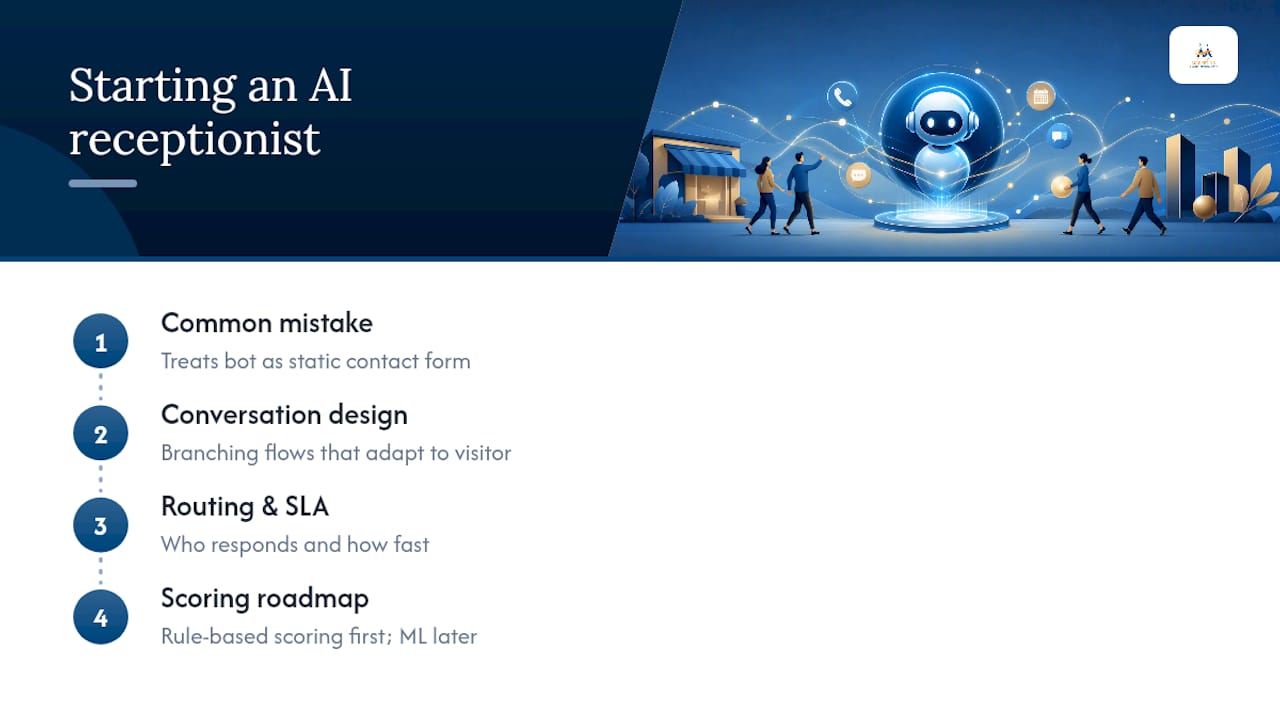
The bigger mistake is skipping the routing rules. I've seen businesses launch a bot that captures great data and then let hot leads sit in an inbox for two days because nobody defined who responds and how fast. A four-question flow is worthless without an SLA attached to the output.
Conventional advice pushes businesses toward complex AI scoring models on day one. That's backward for most SMBs. Rule-based scoring with rich-card answers gives you predictable, explainable handoffs while your team learns what "hot" actually looks like in your business. Add machine learning later, once you have enough labeled outcomes to train it properly. Start with the conversation design and the SLA. Everything else is secondary.
— Diane O'Brien
Get Your AI Receptionist Built and Configured
Building a conversational AI receptionist from scratch means picking a platform, writing the conversation flow, wiring up your CRM, and testing routing rules, all while running your actual business. Digital Marketing All handles that setup directly: conversation design, rule-based scoring, CRM and calendar integration, and the notification routing that gets hot leads in front of your team within minutes instead of days.
This fits business owners who read this guide and thought, "I don't have time to build and test this myself." That's the gap Digital Marketing All closes. Beyond the chatbot itself, the agency also pairs lead capture with review generation and reputation management, so the leads you qualify convert against a stronger online reputation.
Request a configuration review, and get a working pilot scoped around your specific qualification criteria.
Sources
- AI Lead Generation 2026: 73% More Qualified | Stealth Agents
- AI in Sales Discovery: The 2026 Pipeline Report on Conversational Qualification | Blog | Perspective AI
- Lead Generation Chatbot: Qualify, Capture, Route (2026)
FAQ
What Is an AI Receptionist for Small Business?
It's a chatbot on your website or messaging channels that asks visitors qualifying questions, scores their answers, and routes qualified leads to your sales team in real time. It does not handle phone calls.
How Much Does an AI Receptionist Cost?
Costs typically follow a monthly subscription model, sometimes with a one-time setup fee for custom conversation flows; managed setup through an agency adds configuration and design work on top of the platform fee.
How Long Does It Take to Set Up?
A single-channel pilot usually takes 1 to 4 weeks. A full rollout across multiple channels with deep CRM integration runs 6 to 12 weeks.
Should I Use Rule-Based Scoring or AI Scoring?
Start with rule-based scoring for predictable, explainable handoffs. Add machine-learning scoring once you have enough labeled lead outcomes to train a model reliably.
Can Digital Marketing All Build This for My Business?
Yes. Digital Marketing All configures the conversation design, scoring rules, CRM and calendar integrations, and notification routing as part of its AI chatbot service for small and midsize business clients.