
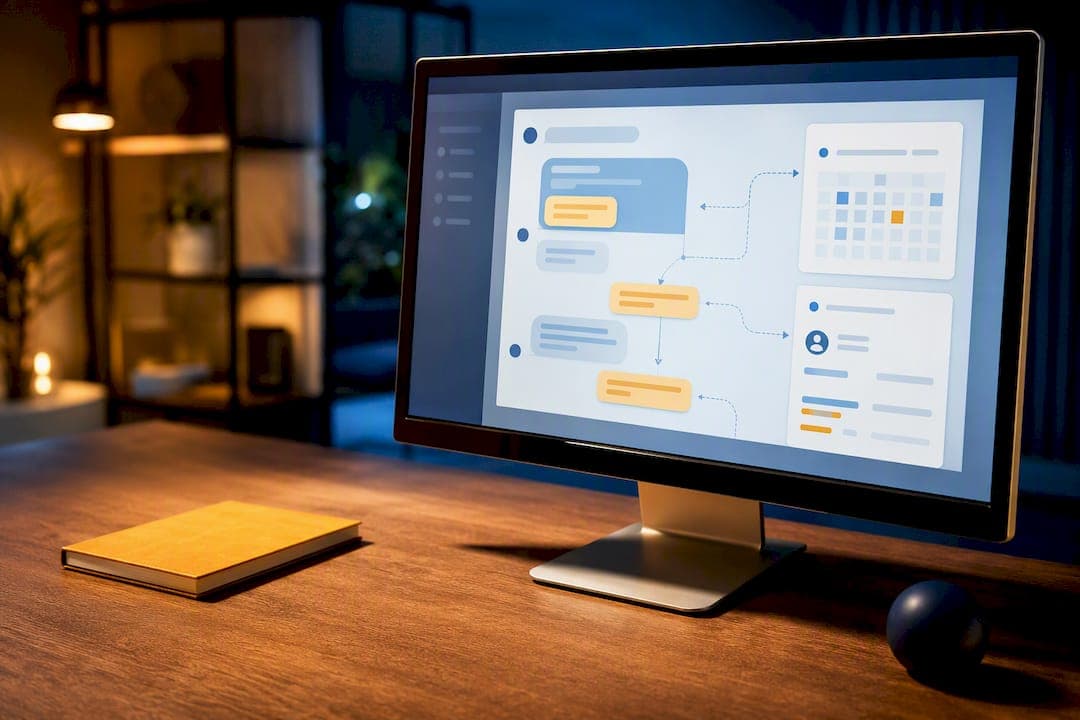
The right move for most small and medium-sized businesses is a focused AI chat bot that captures visitor details, scores them by fit, intent, and urgency, and routes qualified leads straight into your CRM. Teams without a developer on staff do better with an agency-managed rollout; teams testing the concept can start with a lightweight, self-serve pilot. One integration guide found that pairing a chatbot with a built-in mini-CRM lets SMBs respond to leads dramatically faster than businesses running separate tools.
TL;DR:
- Most SMB chatbots can be deployed on one or two high-traffic pages within a week, with full site integration taking up to four weeks depending on complexity.
- Ensuring the chatbot collects only essential contact and qualification questions increases completion rates and minimizes user friction.
- Native CRM connectors handle 90% of SMB needs and typically configure in 15 to 30 minutes; middleware or custom solutions are only necessary for complex workflows.
- Tracking response times, conversion rates, and pipeline movement provides the clearest evidence of chatbot effectiveness over manually handled leads.
- A focused, narrow initial scope prevents startup failures, and regular transcript reviews help keep the chatbot relevant and compliant.
Table of Contents
- What Does an AI Chat Bot Actually Do for a Business?
- What Features Should You Require From an AI Chatbot?
- How Do You Integrate a Chatbot With Your CRM?
- What's a Realistic Deployment Timeline and Budget?
- How Do You Measure Whether the Chatbot Is Working?
- Where Do Chatbot Rollouts Usually Go Wrong?
- When Should You Hire an Agency Instead of Building It Yourself?
- How Digital Marketing All Builds Your AI Chatbot
- Sources
- FAQ
What Does an AI Chat Bot Actually Do for a Business?
An AI chat bot built for lead generation follows a simple sequence: capture, qualify, route, book. A visitor lands on your site, the bot asks a handful of targeted questions, scores the response, and either books a meeting on the spot or hands a warm lead to a rep with full context attached. That is a different job than a general-purpose chat assistant. This one exists to turn anonymous traffic into a named opportunity in your pipeline.
The business case comes down to speed and staff time. A chatbot answers at 2 a.m. as readily as at 2 p.m., so the lead who fills out a form at midnight gets a response before your morning coffee, not after your competitor's. Chatbots that automate first contact and qualification can help small businesses capture more leads without adding headcount, though any vendor's uplift number deserves a pilot test against your own baseline before you build a budget around it.
A typical flow looks like this:
- A visitor clicks a service page and the chat widget opens with a specific question, not a generic greeting.
- The bot asks two or three qualifying questions tied to budget, timeline, or need.
- It scores the answers, tags the lead, and either offers a booking link or queues a human follow-up.
- The lead, transcript, and score land in your CRM automatically, with a notification sent to the right rep.
That last step is where most SMBs lose the most time today, since manual CRM entry eats hours a week that a connected chatbot eliminates outright.
What Features Should You Require From an AI Chatbot?
Not every chatbot feature earns its place in an SMB budget. Before you sign off on a build or brief an agency, insist on these five:
- Minimum viable capture fields. Ask for name, contact method, and one qualifying detail. Anything more upfront kills conversion, and consent language for data handling needs to appear before the bot stores a single field.
- A three-signal qualification model. Score leads on fit (do they match your ideal customer), intent (are they actually shopping), and urgency (how soon are they buying). Keeping these signals separate, rather than folding them into one composite score, is a recommended practice for lead qualification because a single number hides why a lead ranked where it did.
- Routing rules with full handoff context. A qualified lead should arrive to a rep with the transcript, score, and tags attached, not just a name and phone number.
- A working knowledge base with an honest fallback. The bot should answer FAQs correctly and hand off to a human the moment it's uncertain, rather than guessing.
Pro Tip: Ask only the questions that change what happens next. If an answer wouldn't change your follow-up, cut the question. Fewer fields, higher completion rates.
How Do You Integrate a Chatbot With Your CRM?
Integration is where good chatbot projects stall. The fix is mapping fields before you touch a connector: identity fields (name, email, phone), context fields (page visited, question asked), and intelligence fields (lead score, transcript, tags). Deduplication logic matters as much as the mapping itself, since a returning visitor shouldn't spawn a second contact record every time they open the widget.
You have three ways to wire a chatbot into HubSpot, Salesforce, Pipedrive, or a similar system:
- Native connectors handle roughly 90% of SMB use cases and typically take 15 to 30 minutes to configure through a visual field mapper.
- Middleware platforms (Zapier-style tools) bridge gaps when your CRM lacks a native connector, at the cost of an extra monthly fee and a bit more maintenance.
- Custom API or webhook builds take longer, often a few hours of developer time, and are worth it only for complex, multi-system workflows.
Push only qualifying contacts into your CRM, not every casual visitor who asked a business-hours question. Send full transcripts selectively, generally just for leads above a set score, and set immediate rep notifications so a hot lead doesn't sit in a queue overnight. Also connect your calendar tool (Google Calendar, Outlook, or Calendly) at the same time as your CRM. A minimum handoff payload should include the lead's contact info, score, source page, and a one-line summary of intent.
What's a Realistic Deployment Timeline and Budget?
Getting a chatbot live doesn't require a quarter-long project. It requires a checklist and a realistic sense of what "live" means for your business.
- Pick two or three high-intent pages (pricing, contact, a core service page) to deploy the widget first.
- Script the core qualifying flow: three questions, one branch for booking, one for handoff.
- Connect a calendar tool so qualified leads can self-book.
- Map CRM fields and test deduplication with a handful of sample submissions.
- Run a soft launch on internal traffic before opening it to the public.
A narrow pilot, one page, one flow, a native CRM connector, can go live in under a week. A fully integrated launch across your site, with calendar booking, multi-CRM routing, and a trained knowledge base, usually takes one to four weeks depending on how many systems you're connecting. Monthly costs for SMB setups vary widely based on the number of integrations, how much custom training the AI needs, and how many team seats you require; get a specific quote rather than budgeting off an industry average. During your soft launch, watch response time, completion rate on the qualifying flow, and whether handoffs arrive in the CRM with complete context.
How Do You Measure Whether the Chatbot Is Working?
Four numbers tell you almost everything: qualified leads per week, average response time, conversion rate from chat to booked appointment, and how fast a qualified lead moves through your pipeline afterward. Track these against a control, either a set of pages without the widget or your own pre-chatbot baseline, rather than trusting a vendor's headline stat in isolation.
The response-time gap is the number worth watching first. One integration guide reports that SMBs running a chatbot with a built-in CRM respond to leads up to 47 times faster than teams relying on separate, disconnected tools, a gap that shows up directly in how many leads go cold before anyone calls them back.
Run a simple optimization loop: edit the script where visitors drop off, retest for a week, retrain the bot's answers on anything it flagged as uncertain, then repeat. Escalate to a developer or agency only when the fix requires a new integration or a workflow the native tools can't handle.
Where Do Chatbot Rollouts Usually Go Wrong?
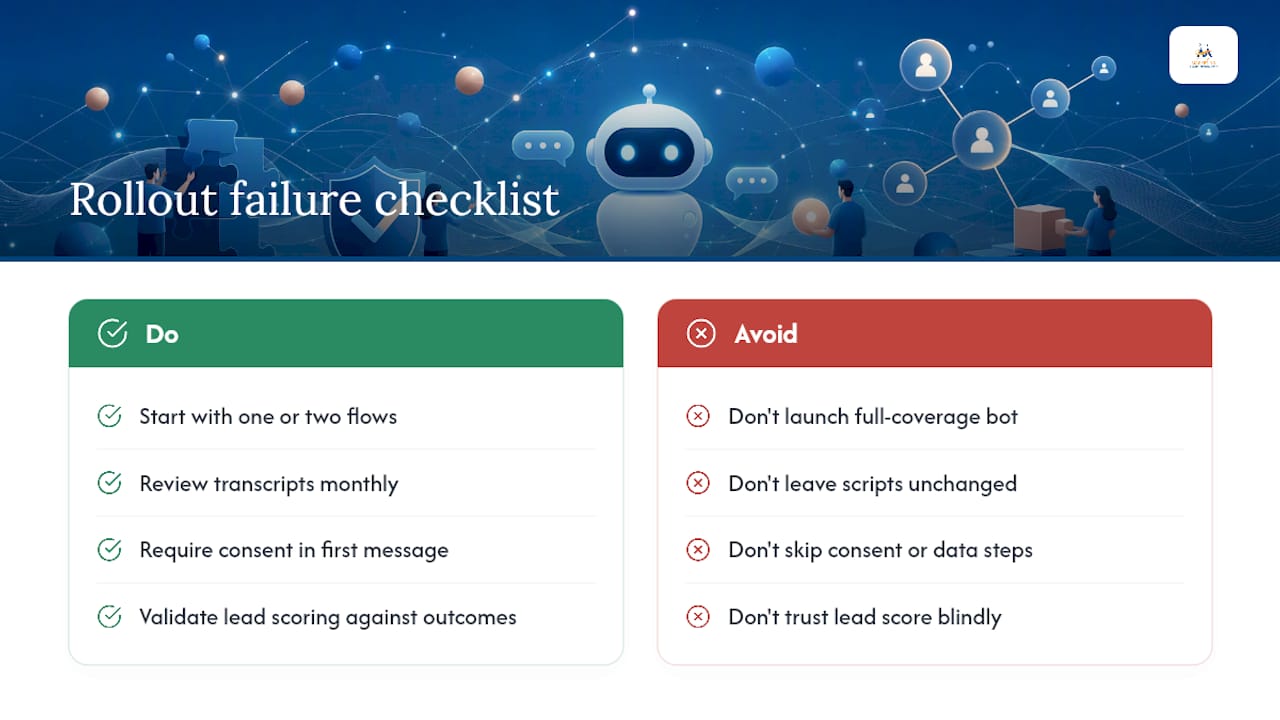
The most common failure isn't the technology. It's scope. Businesses try to launch a chatbot that handles every possible customer question on day one, and the result is a bot that answers nothing well. Start narrow: one or two flows, a handful of pages, and expand once those are converting.
The second failure is silence after launch. A chatbot isn't a set-and-forget install. Scripts that worked at launch go stale as your offers change, and a bot answering questions about a promotion that ended months ago erodes trust fast. Build in a monthly review of transcripts to catch drift early.
Third, teams skip the consent and data-handling step, then find out later that a state privacy law or a client's own compliance policy requires clear disclosure before capturing contact information. Bake this into the first message, not an afterthought.
Fourth, businesses treat the lead score as gospel without checking it against actual outcomes. If your "high urgency" tag isn't converting better than "medium," the scoring model needs retraining, not blind trust. And fifth, some rollouts skip the human fallback entirely. A bot that can't say "let me get a person" when it's stuck will frustrate a real buyer right out of your pipeline.
When Should You Hire an Agency Instead of Building It Yourself?
Speed, customization, and ongoing optimization pull in different directions, and most SMBs feel that tension immediately. A DIY chatbot tool gets you live fast but leaves the fine-tuning, the CRM mapping, and the scoring model on your own plate indefinitely. An agency-managed build takes longer to launch but arrives with the integration work, the scoring logic, and a plan for ongoing tuning already handled.
Businesses with in-house developer time or a single simple use case do fine running a self-serve pilot. Businesses juggling multiple systems, a nonstandard CRM setup, or a marketing team already stretched thin get more value from a managed build by an elite creator agency. If you're evaluating an agency, ask for specifics on integration experience with your exact CRM, a track record with AI-driven lead scoring, and a written onboarding plan with dates attached, not just a promise of "full support."
— Diane O'Brien
How Digital Marketing All Builds Your AI Chatbot
Some agencies offer done-for-you chatbot services for SMBs who want a chatbot live and wired into their CRM without hiring a developer or spending weeks in trial and error. Such AI Chatbot services can include CRM and calendar integration, the fit-intent-urgency scoring model covered above, and reporting so you can see qualified leads and response times without digging through raw transcripts yourself.
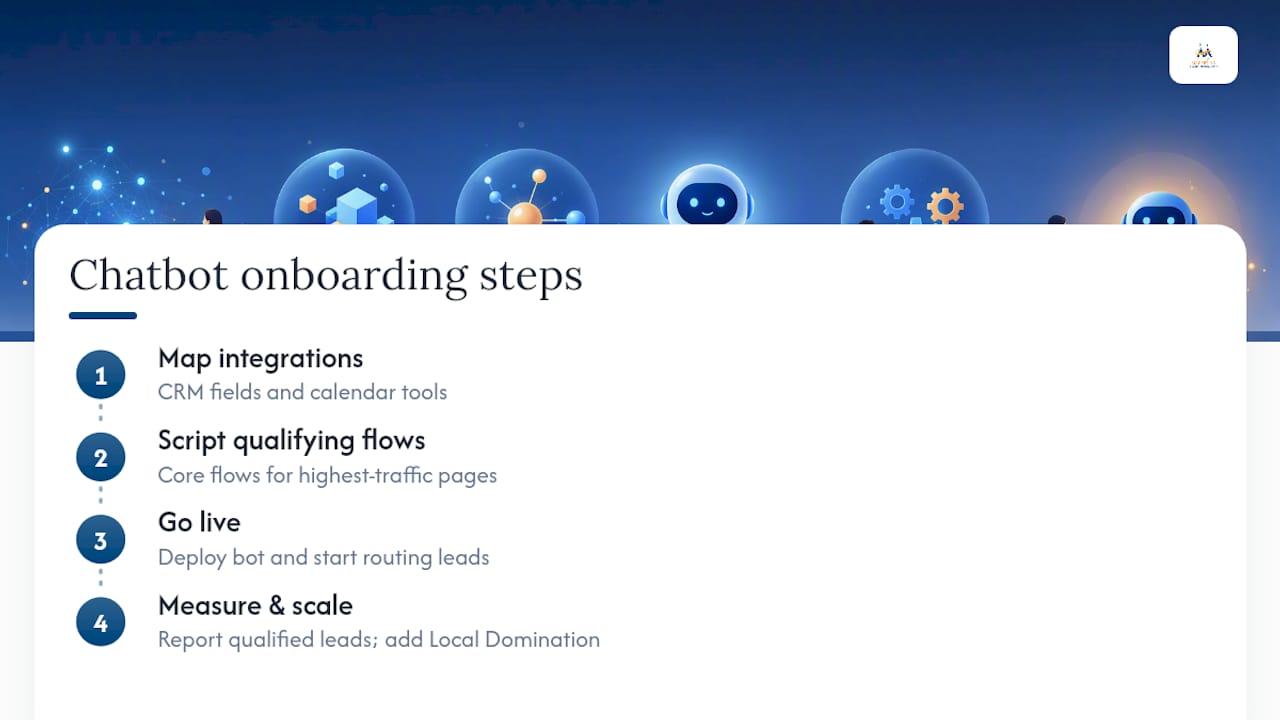
Onboarding typically starts with mapping CRM fields and calendar tools, then scripting the core qualifying flows for highest-traffic pages before going live. Some clients see early results within the first few weeks as the bot starts routing qualified conversations directly to their sales team. If your site also needs a broader visibility push to feed the bot more traffic, pairing it with Local Domination is a natural next step. Reach out through the AI Chatbot page to get a setup timeline and pricing specific to your business.
Sources
- The CRM Built Into Your Chatbot: Everything Your Sales Team Wished They Had From Day One
- Chatbot CRM Integration: 7 Proven Steps (2026) | BotHero — BotHero
- AI Lead Qualification for Small Business | AI Integrations
FAQ
How Long Does It Take to Deploy an AI Chatbot?
A narrow pilot on one or two pages can go live in under a week using a native CRM connector. A fully integrated launch with calendar booking and multi-system routing typically takes one to four weeks.
How Much Does an AI Chatbot Cost for a Small Business?
Costs depend on the number of integrations, AI training needs, and team seats required, so there's no single flat rate. Digital Marketing All provides pricing specific to your setup through its AI Chatbot service page.
Will a Chatbot Work With My Existing CRM?
Most mainstream CRMs, including HubSpot, Salesforce, and Pipedrive, offer native connectors that handle the majority of SMB integration needs and configure in well under an hour. Less common systems may need middleware or a custom API connection, which takes longer to set up.
Is Customer Data Safe With an AI Chatbot?
A well-built chatbot should disclose data handling upfront, collect only the fields it needs, and store transcripts selectively rather than by default. Ask any vendor or agency exactly what data gets stored, where, and for how long before launch.
How Is a Business Chatbot Different From a Consumer AI Chat App?
A business lead-generation chatbot is scripted around your services, scores visitors by fit, intent, and urgency, and pushes qualified leads into your CRM. A consumer AI chat app is built for open-ended conversation and has no connection to your sales pipeline at all.