

Setting up your Google My Business profile can feel confusing the first time, but getting it right makes a big difference for any local American retailer or service provider. Accurate, complete information means your business shows up where real customers are searching on Google and Google Maps. When you gather important details and prepare your listing step by step, you set the stage for more calls, visits, and trust from your community. This guide reveals how to make every detail count for better visibility and more leads.
Table of Contents
- Step 1: Prepare Your Google My Business Profile
- Step 2: Optimize Core Listing Details for Search
- Step 3: Enhance Listings with Photos and Posts
- Step 4: Leverage Reviews and Reputation Management
- Step 5: Verify and Monitor Your Results
Quick Summary
| Key Point | Explanation |
|---|---|
| 1. Collect Accurate Business Information | Gather essential details like name, address, phone number, and hours to set a strong foundation for your profile. |
| 2. Optimize Your Business Description | Write a clear, engaging description using relevant keywords to enhance your visibility in local searches. |
| 3. Use High-Quality Photos | Upload professional images of your business and offerings to engage customers and build trust. |
| 4. Encourage and Manage Customer Reviews | Actively seek positive reviews and respond promptly to feedback to strengthen your business reputation. |
| 5. Verify and Monitor Your Profile | Confirm ownership of your listing and regularly review insights to adjust strategies for improved performance. |
Step 1: Prepare Your Google My Business Profile
Before you launch your Google My Business presence, taking time to prepare makes the entire setup process smoother and more effective. You'll gather your business information, organize your details, and get ready to claim or create your profile with confidence.
Start by collecting the essential information Google will ask for. You'll need your business name, phone number, address, website URL, and business hours. If your business operates from a home office or serves customers at their locations, have that information ready too.
Choose your primary business category carefully. This matters because it tells Google what you do, which helps the right customers find you. Think about how someone would search for your specific services—that's your category.
Here's what you should prepare:
- Your exact business name (as it appears on your official documents)
- Complete street address and zip code
- Phone number customers use to reach you
- Website URL (if you have one)
- Current business hours for each day of the week
- High-quality photos of your storefront, products, or team
- Your business description (2-3 sentences explaining what you do)
- Service areas if you travel to customers
Accurate business information is critical because it directly impacts your appearance in local search results. Customers rely on these details to contact you and visit your location, so double-check everything for typos and completeness.
If you already have a Google account (Gmail, YouTube, or another Google service), you're halfway there. You'll log in with those same credentials to access Google My Business. If not, you'll create a free Google account first.
Getting your information organized now prevents frustrating edits later—Google requires verification for certain changes, so accuracy from the start saves you time.
Pro tip: Take professional photos of your business before you start the setup process, and have them ready in a folder so you can upload them immediately when prompted during profile creation.
Step 2: Optimize Core Listing Details for Search
Now that your profile is prepared, it's time to optimize the details that help Google understand your business and show it to the right customers. This step focuses on making your listing work harder for local search visibility.

Start with your business description. This is your chance to tell customers what you do in a clear, compelling way. Write 2-3 sentences that answer the question: What makes your business unique? Include natural keywords related to your services, but keep it readable and authentic.
Your business category is equally important. Google uses this to classify your business, so choose the primary category that best describes what you offer. You can also add up to 10 additional categories to cover related services.
Here's what to optimize in your core listing:
- Add relevant keywords naturally to your business description
- Select your primary category and add secondary categories
- Ensure your name, address, and phone number are consistent everywhere
- Write a compelling business description that addresses customer needs
- List all services you offer with specific details
- Update your opening and closing hours accurately
Thorough keyword research helps you choose terms that potential customers actually use when searching. Incorporate these keywords strategically throughout your description and services list so Google connects your business to relevant searches without sounding forced.
Consistency matters more than you might think. Make sure your NAP (Name, Address, Phone number) matches exactly across your Google My Business profile, website, and other business listings. Even small inconsistencies can confuse search engines and hurt your rankings.
Accurate, consistent information builds trust with both Google and your customers, directly improving your chances of appearing in local search results.
Pro tip: Use your actual customer language when describing services—if customers call it a "tune-up" instead of "maintenance service," use their words in your listing description.
Step 3: Enhance Listings with Photos and Posts
Visual content is what catches attention and keeps potential customers engaged with your listing. This step shows you how to add photos and posts that make your profile stand out and demonstrate your business authenticity.
Start by uploading high-quality photos of your business. Include images of your storefront, interior space, products, and your team at work. Adding relevant photos to your business profile is one of the most effective ways to engage potential customers and build immediate trust through visual authenticity.
Your photos should answer what customers want to know. Show them what they'll see when they visit, what your products look like, and who they'll be working with. Quality matters more than quantity, so focus on clear, well-lit images that represent your business professionally.
Here's what photos to include:
- Your storefront or business entrance
- Interior workspace or showroom
- Products or services in action
- Your team or staff members
- Behind-the-scenes operations
- Customer success stories or finished projects
Regular posts keep your profile fresh and signal to Google that your business is active. Posts let you announce promotions, highlight new services, share customer reviews, or update customers about events. Aim to post at least 1-2 times per week to maintain visibility and engagement.
When posting, write clear, concise messages that prompt action. Include details like dates, times, and special offers. Posts stay visible for seven days, so they're perfect for time-sensitive updates or seasonal promotions.
Fresh photos and consistent posts tell Google and your customers that your business is current, professional, and worth their attention.
Pro tip: Encourage customers to leave photo reviews, then repost the best ones on your profile to build social proof and save yourself content creation time.
Step 4: Leverage Reviews and Reputation Management
Reviews are the social proof that converts browsers into customers. This step teaches you how to actively encourage positive reviews, respond professionally to feedback, and build a reputation that drives business growth.
Start by making it easy for satisfied customers to leave reviews. After a successful transaction or service, ask them directly to share their experience on Google. Send a follow-up email or text with a link to your Google My Business profile review section. The easier you make it, the more reviews you'll receive.
Google Reviews play a key role in building credibility and boosting your local search visibility. Even a handful of positive reviews significantly impacts potential customers' decisions and tells Google that your business is trustworthy and active.
Responding to reviews is just as important as getting them. Reply to every review, positive or negative, within 24 to 48 hours if possible. For positive reviews, thank the customer and mention specific details they appreciated. For negative reviews, stay professional, apologize for their experience, and offer to make it right offline.
Here's how to manage your reputation effectively:
- Encourage satisfied customers to leave reviews immediately after service
- Respond promptly to all reviews with genuine, personalized messages
- Address negative feedback professionally and constructively
- Monitor your reviews regularly for patterns and improvement areas
- Share positive reviews on your other marketing channels
- Never argue with reviewers or ignore critical feedback
Consistent review management signals to Google that you care about customer satisfaction. It also gives you valuable insights into what's working and what needs improvement. Set up a weekly routine to check and respond to new reviews.
Responding thoughtfully to reviews transforms feedback into an opportunity to build trust and demonstrate your commitment to customer service.
Pro tip: Create a simple system where you ask for reviews at the point of sale or service completion, making it part of your standard business routine rather than an afterthought.
Step 5: Verify and Monitor Your Results
Verification and monitoring transform your Google My Business profile from a static listing into a dynamic tool that drives real business results. This step shows you how to confirm ownership, track performance, and make ongoing adjustments.
First, you need to verify your business. Google sends verification through mail, phone, or email depending on your business type. Check your Google My Business account for verification instructions and follow the method Google recommends. This proves you own or manage the business and gives you full control over the listing.
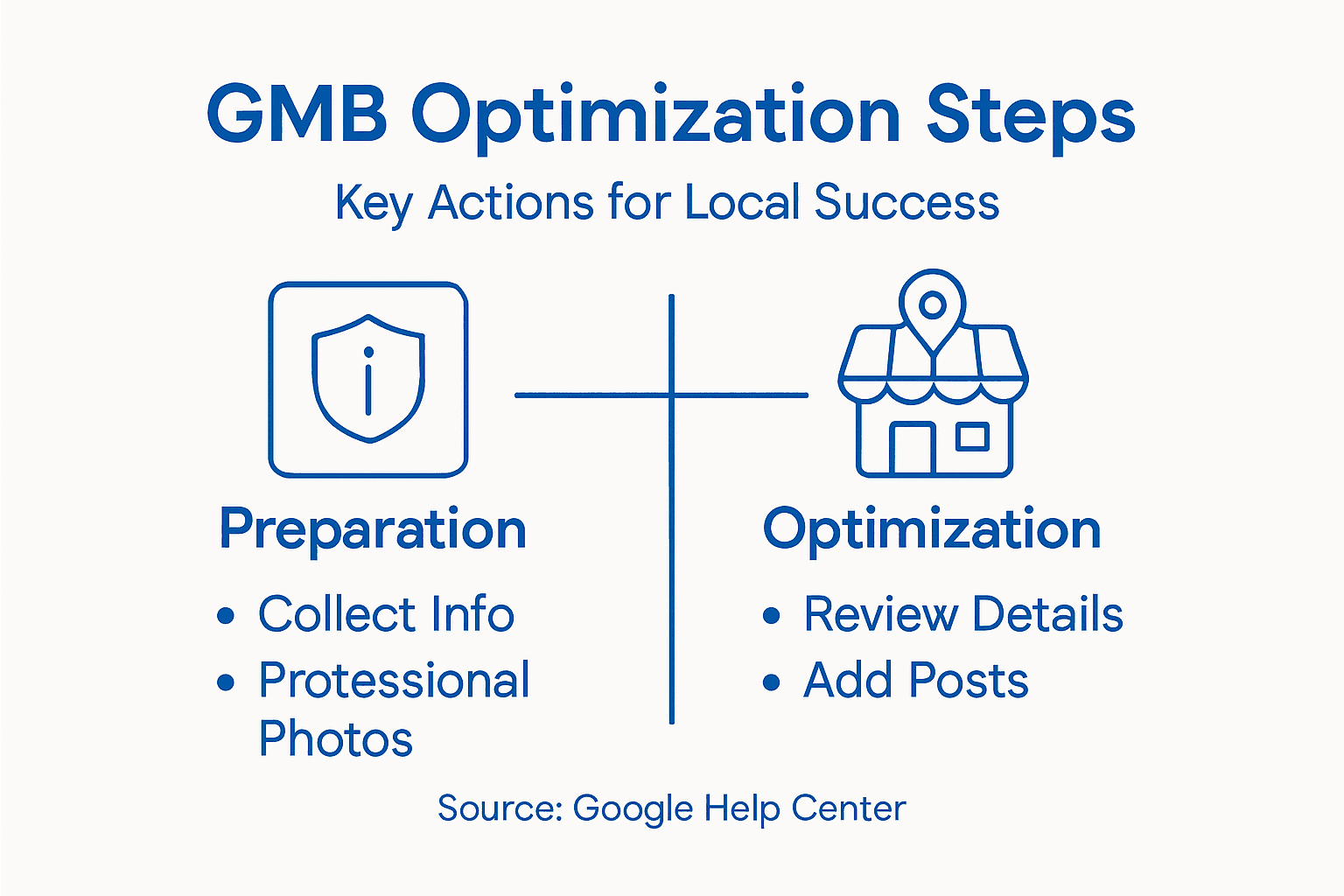
Once verified, you gain access to Google My Business Insights. This dashboard shows how customers find your business, what they search for, and how they interact with your profile. Monitoring performance through insights enables you to understand customer behavior and make informed decisions about what to update or improve.
Pay attention to these key metrics:
- How many people viewed your profile
- How customers found you (search, maps, or direct)
- What actions they took (website visits, calls, directions)
- Which photos or posts received the most engagement
- How your profile performs compared to previous months
Use these insights to guide your updates. If certain photos get more views, add similar content. If customers search for specific keywords, incorporate them into your description. If many people call you, ensure your phone number is prominently displayed.
Set a monthly review routine to check your performance data and make necessary adjustments. Track trends over time to see what's working and what needs improvement. Consistent monitoring keeps your profile optimized and relevant.
Data-driven decisions, even small ones, compound over time to create noticeable improvements in visibility and customer engagement.
Pro tip: Screenshot your monthly insights to track progress over time and identify seasonal patterns or successful strategies you can repeat.
Use this reference to distinguish between core Google My Business features and their practical benefits:
| Feature | What It Does | Why It Matters |
|---|---|---|
| Business Description | Explains offerings | Helps customers understand value |
| Categories | Classifies business | Improves relevant search results |
| Photos | Showcases visuals | Builds authenticity and trust |
| Posts | Share timely updates | Encourages frequent engagement |
| Reviews | Collects feedback | Increases credibility |
| Insights | Provides analytics | Guides effective updates |
Here's a quick overview of how each step in setting up your Google My Business profile supports your business objectives:
| Step | Focus Area | Business Impact |
|---|---|---|
| Prepare Profile | Gather accurate info | Builds foundation for trust |
| Optimize Listing | Enhance search details | Boosts local visibility |
| Add Photos & Posts | Create engaging visuals | Attracts more customers |
| Manage Reviews | Encourage and respond | Strengthens reputation |
| Monitor Results | Track performance data | Drives ongoing improvement |
Unlock Your Local Business Potential with Expert Google My Business Optimization
Struggling to get your local business noticed in the crowded online marketplace? The "Step by Step Google My Business Optimization Guide" highlights common challenges such as inconsistent business information, lack of engaging photos, and missed opportunities from underutilized reviews. Many business owners face difficulty maintaining fresh, keyword-rich listings that truly connect with customers. If your goal is to build trust, improve local search rankings, and attract more eyeballs, it all starts by mastering these core elements.
At Digital Marketing All, we understand how crucial it is to implement accurate NAP details, optimize your business categories, and leverage smart reputation management. Our advanced AI-powered strategies ensure your Google My Business profile not only ranks higher but also appears prominently in AI recommendations and search autosuggest features. By combining innovative local SEO with ongoing listing enhancements, we help your business stay visible and engaging to your target audience.
Take Action Today and transform your Google My Business presence into a powerful lead generator.
Ready to dominate your local market? Discover how our full suite of services including SEO, content marketing, and reputation management can power your growth. Visit Digital Marketing All now to start optimizing your profile the smart way and connect with more customers instantly. Learn more about Local SEO Solutions and how we drive high-quality traffic to your business. Don't let competitors outrank you — partner with experts who specialize in turning Google My Business into your strongest asset.
Frequently Asked Questions
How do I prepare my Google My Business profile?
Start by gathering essential information like your business name, address, phone number, website URL, and business hours. Compile these details to ensure accuracy when creating or claiming your profile.
What is the importance of optimizing my business description?
Optimizing your business description is crucial as it helps potential customers understand what makes your business unique. Include relevant keywords that reflect your services naturally to improve your visibility in local searches.
How can I enhance my Google My Business listing with photos?
Upload high-quality photos that showcase your storefront, products, or team. Focus on clear and well-lit images to build trust and authenticity with potential customers, increasing engagement with your listing.
What should I do to encourage customers to leave reviews?
Make it easy for satisfied customers to leave reviews by requesting feedback after a successful service. Send follow-up messages with a direct link to your review section on Google to streamline the process for them.
How do I verify my Google My Business profile?
To verify your profile, log into your Google My Business account and follow the verification instructions provided by Google. This may include receiving a postcard, phone call, or email verification to confirm your business ownership.
What metrics should I monitor in Google My Business Insights?
Focus on key metrics like profile views, how customers found you, actions taken (like calls or website visits), and engagement with your photos or posts. Analyzing these insights monthly helps you make informed adjustments for better visibility and performance.