
Rising above other local eateries often comes down to how your restaurant appears when American diners search nearby on Google. With more potential customers turning to Google Business Profiles to decide where to eat, a well-optimized online presence can directly impact foot traffic and sales. This guide highlights proven steps for making your business details stand out, sharing compelling photos, and managing reviews so your restaurant becomes the top choice on local search results.
Table of Contents
- Step 1: Optimize Your Business Profile Details
- Step 2: Upload Engaging Photos And Videos
- Step 3: Leverage Customer Review Strategies
- Step 4: Activate AI-Powered Local SEO Tactics
- Step 5: Monitor Insights And Refine Your Approach
Quick Summary
| Main Insight | Clarification |
|---|---|
| 1. Ensure Accurate Business Info | Always provide exact business name, address, phone, and hours to enhance visibility. |
| 2. Use High-Quality Visuals | Upload at least 10-15 professional images and videos to attract customers and showcase dining experience. |
| 3. Actively Manage Customer Reviews | Respond to every review within 24-48 hours to build trust and show commitment to customer satisfaction. |
| 4. Implement AI-Driven SEO Strategies | Utilize AI tools for keyword optimization and performance tracking to improve online presence. |
| 5. Regularly Monitor Performance Metrics | Review analytics weekly to adjust strategies based on customer interaction and trends. |
Step 1: Optimize your business profile details
Creating a powerful Google Business Profile is your first critical step in dominating local restaurant search results. This process involves strategically crafting every detail to attract potential customers and improve your online visibility.
Start by ensuring your business information is 100% accurate. Fill out every section of your profile with precise details, including:
- Exact business name
- Correct physical address
- Local phone number
- Operating hours
- High-quality, professional photos of your restaurant
- Detailed business description
When selecting your business category, be ultra-specific. Choose the most precise restaurant category that describes your establishment - whether it's "Pizza Restaurant," "Italian Restaurant," or "Casual Dining Restaurant." Avoid generic categories that might reduce your search relevance.
The more specific and complete your Google Business Profile, the higher your chances of appearing in local search results.
You'll want to optimize your local business listing by including keywords naturally in your description. Describe your cuisine, special offerings, and what makes your restaurant unique. Remember that search algorithms prioritize relevance and proximity.

Pro tip: Update your profile at least monthly with new photos, current promotions, or seasonal menu highlights to keep your listing fresh and engaging.
Step 2: Upload engaging photos and videos
Visual content is your secret weapon for attracting hungry customers and making your Google Business Profile stand out. High-quality images and videos can transform a basic listing into a mouthwatering digital showcase of your restaurant's personality and culinary offerings.
When uploading restaurant photos, focus on capturing images that tell a compelling story about your dining experience. Your visual content should include:
- Professional shots of signature dishes
- Interior and exterior restaurant views
- Staff preparing food or serving customers
- Close-up details of unique menu items
- Action shots of dining atmosphere
- Behind-the-scenes kitchen glimpses
Ensure your images are high-resolution, well-lit, and showcase your restaurant's unique character. Aim for at least 10-15 professional-quality photos that represent different aspects of your dining experience. Avoid stock images or low-quality smartphone snapshots.
Professional, appetizing visuals can increase customer engagement by up to 40% on Google Business Profiles.
Include video content that provides dynamic insights into your restaurant. Short, engaging videos can highlight your chef's techniques, customer testimonials, or a quick tour of your dining space. Most smartphones can now capture high-quality video suitable for your business profile.
Pro tip: Rotate your visual content monthly to keep your profile fresh and demonstrate that your restaurant is active and vibrant.
Step 3: Leverage customer review strategies
Customer reviews are the lifeblood of your restaurant's online reputation, acting as powerful social proof that can dramatically influence potential diners' decisions. Mastering review management is about more than just collecting stars - it's about creating a dynamic dialogue with your customers that builds trust and demonstrates your commitment to exceptional dining experiences.
Managing local business reputation requires a proactive and strategic approach. Your review strategy should include:
- Responding to EVERY review within 24-48 hours
- Thanking positive reviewers for specific details they mentioned
- Addressing negative reviews professionally and solution-oriented
- Inviting satisfied customers to share their experiences
- Sharing review responses publicly to showcase transparency
When responding to negative reviews, stay calm and professional. Acknowledge the customer's specific concern, apologize sincerely, and offer a concrete solution. This approach shows potential customers that you care about their experience and are committed to continuous improvement.
Restaurants that consistently respond to reviews see up to 35% higher engagement rates on their Google Business Profile.
Consider creating a systematic approach to requesting reviews. Train your staff to politely ask satisfied customers to share their experience online, perhaps by including a small card with the check or mentioning it during the payment process.
Pro tip: Create a monthly reminder to review your feedback trends and identify consistent themes in customer comments that could help you improve your restaurant's overall experience.
Step 4: Activate AI-powered local SEO tactics
Artificial intelligence has transformed local restaurant marketing, offering unprecedented opportunities to supercharge your Google Business Profile and attract more hungry customers. Embracing AI-driven strategies will help you stay ahead of the competition and make your restaurant more discoverable in local search results.
AI SEO techniques can revolutionize how you approach online marketing. Your AI-powered local SEO strategy should focus on:
- Automated keyword optimization
- Dynamic content generation
- Predictive customer behavior analysis
- Real-time performance tracking
- Personalized local search targeting
Leverage AI tools to analyze your current Google Business Profile performance. These intelligent platforms can identify gaps in your listing, suggest improvements, and help you understand how potential customers are finding and interacting with your restaurant online.
Here's a quick comparison of AI-powered SEO tactics versus traditional local SEO methods:
| Approach | AI-Powered Local SEO | Traditional Local SEO |
|---|---|---|
| Keyword Optimization | Automated and dynamic | Manual updates |
| Content Updates | AI-generated suggestions | User-driven content edits |
| Customer Targeting | Personalized, data-driven | Broad, less targeted |
| Performance Tracking | Real-time analytics | Periodic manual review |
| Business Impact | Faster visibility growth | Slower, incremental gains |
AI-powered local SEO can increase your restaurant's online visibility by up to 40% with minimal manual effort.
Consider implementing AI-driven chatbots on your website and Google Business Profile to provide instant customer engagement. These tools can answer frequently asked questions, recommend menu items, and even help with reservations, creating a seamless digital experience for potential diners.
Pro tip: Experiment with different AI marketing tools monthly and track their impact on your restaurant's online engagement and customer acquisition rates.
Step 5: Monitor insights and refine your approach
Constantly tracking and analyzing your Google Business Profile performance is crucial for staying ahead in the competitive restaurant market. Continuous improvement means diving deep into your digital metrics and using those insights to make strategic adjustments.
Search performance tracking helps you understand exactly how customers discover and interact with your restaurant online. Your monitoring strategy should include:
- Weekly review of Google Business Profile analytics
- Tracking keyword ranking performance
- Analyzing customer search behavior
- Monitoring review response rates
- Checking click-through and engagement rates
Investigate your performance data carefully to identify trends. Look for patterns in customer interactions, such as peak search times, most viewed photos, or most clicked information sections. These insights can guide menu updates, posting strategies, and overall customer experience improvements.
Small adjustments based on data can lead to significant increases in local search visibility and customer engagement.
Use tools like Google Search Console to get granular insights into how your restaurant appears in local search results. Pay attention to search queries that bring customers to your profile and optimize your content accordingly.
Below is a summary of key performance metrics for monitoring your Google Business Profile effectiveness:
| Metric | What It Measures | Business Growth Impact |
|---|---|---|
| Profile Views | Number of listing visits | Tracks customer interest |
| Click-Through Rate | Profile clicks to website | Indicates engagement quality |
| Review Response Rate | Timeliness of replies | Improves trust and loyalty |
| Keyword Rankings | Search position for terms | Guides SEO strategy |
| Photo Interaction | Views and clicks on images | Highlights visual appeal |
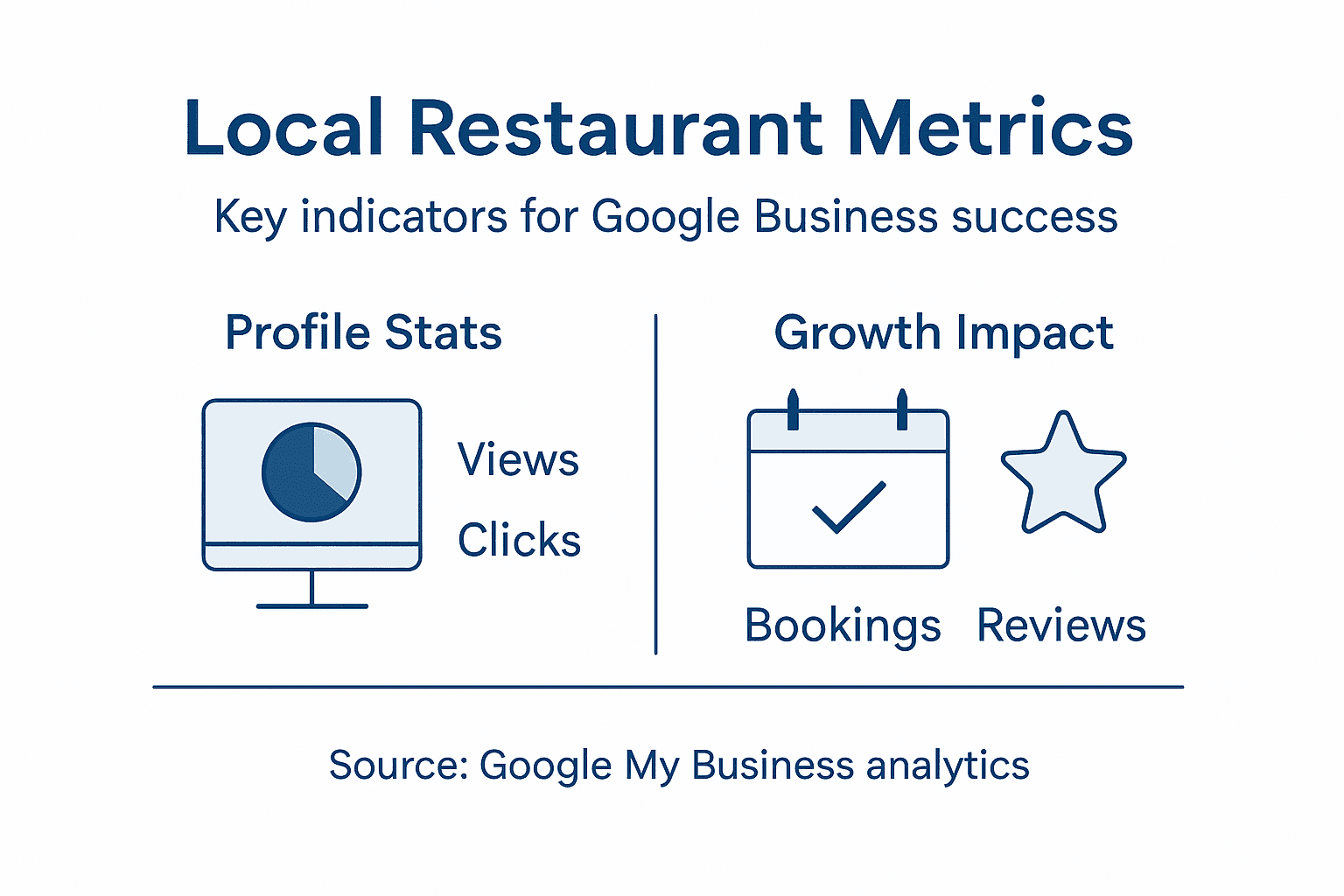
Pro tip: Create a monthly dashboard that consolidates your key performance metrics, allowing you to quickly spot trends and make data-driven marketing decisions.
Take Your Local Restaurant to the Next Level with Expert Google Business Profile Strategies
The article reveals common challenges local restaurants face in optimizing their Google Business Profile to dominate search results and attract more hungry customers. You understand the frustration of balancing high-quality photos, managing online reviews, and harnessing AI-powered SEO tactics while trying to grow your business's visibility and reputation. Key goals include precise business profile optimization, responsive review management, and leveraging AI to increase local search rankings and customer engagement.
Digital Marketing All specializes in addressing these exact pain points by offering advanced solutions that combine local SEO expertise with AI-driven marketing tools. Our team will help you craft an ultra-specific Google Business Profile that shines in search results, automate review responses to build trust, and use predictive analytics to keep your restaurant ahead of the competition. Discover how our comprehensive services in search engine optimization (SEO), conversion-focused web design, and local market domination through Google My Business can transform your restaurant's online presence.
Ready to stop losing customers to competitors and start dominating your local market with proven strategies? Visit Digital Marketing All now to explore how our innovative AI-powered local SEO solutions will boost your visibility, increase customer engagement, and help your restaurant thrive. Don’t wait to make your business the top local choice where hungry customers are searching today.
Frequently Asked Questions
How can I optimize my Google Business Profile details for my restaurant?
To optimize your Google Business Profile, ensure all business information is accurate. Fill out sections like the business name, address, phone number, and operating hours completely. Update your profile with high-quality photos and a detailed description of your restaurant's unique offerings at least once a month.
What types of photos should I upload to my Google Business Profile?
Upload high-resolution images that showcase your restaurant's ambiance and menu items. Include professional photos of signature dishes, both interior and exterior views, and action shots of your staff. Aim for at least 10-15 diverse, quality images to entice potential customers.
How should I manage customer reviews for my restaurant?
To effectively manage customer reviews, respond to every review within 24-48 hours. Thank positive reviewers for their feedback and address negative reviews professionally by acknowledging concerns and offering solutions to demonstrate your commitment to great service.
What AI-powered tactics can I use to improve my restaurant’s local SEO?
Implement AI-powered tactics such as keyword optimization and dynamic content generation to enhance your local SEO. Utilize AI tools to analyze your Google Business Profile performance for gaps and improvements, leading to increased visibility and attracting more local customers within 30-60 days.
How often should I monitor my Google Business Profile performance?
Monitor your Google Business Profile performance weekly to stay informed about customer interactions and engagement. Track key metrics like profile views, click-through rates, and review response rates, and adjust your strategies accordingly to improve your restaurant's online presence.
Recommended
- Is Your Business Invisible Online? 5 Quick Fixes to Get Noticed
- Local Marketing Plan: How to Get More Customers Without Breaking the Bank
- Boost Your Business with Local Advertising Secrets
- Master Google Business Profile: Local SEO & Customer Attraction
- TikTok SEO Guide 2025: Rank Higher & Grow Faster