
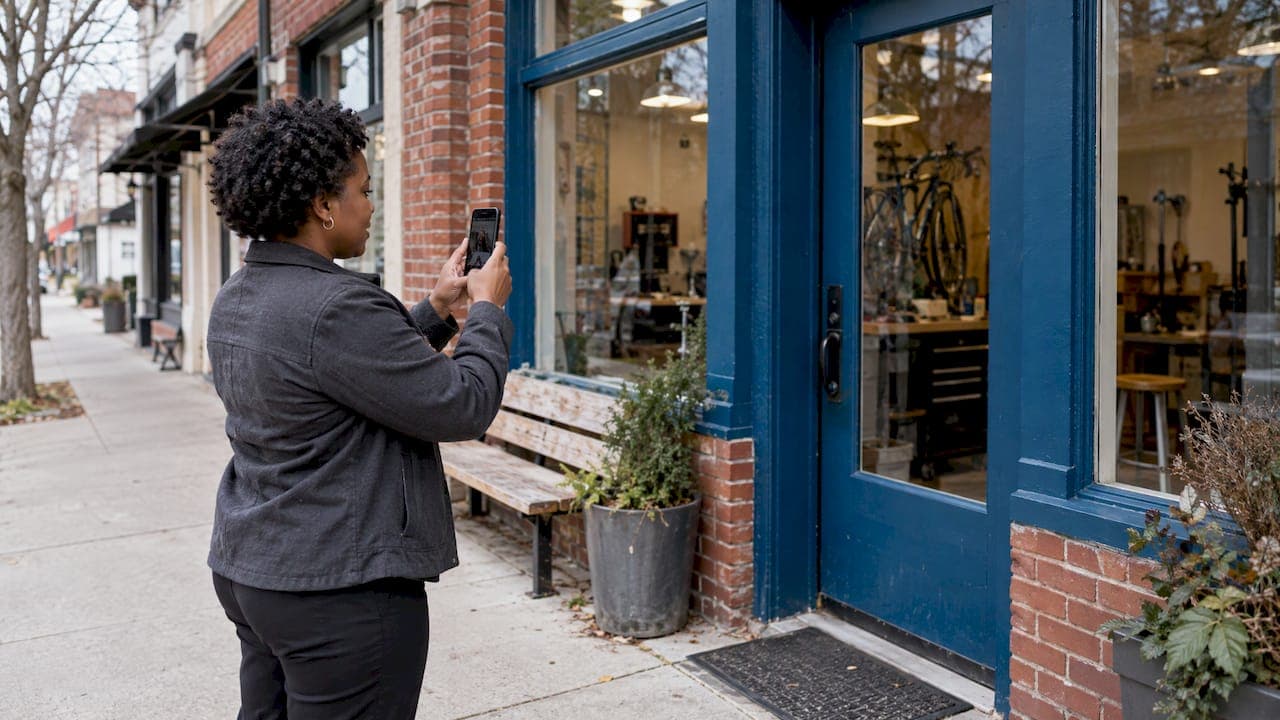
Google Maps marketing is the work of making your business easy to find, trust and choose when someone searches for what you sell near them. It starts with a complete, verified Google Business Profile, grows through reviews, a solid website and consistent details, and can be extended with paid placements inside Maps. The profile costs nothing to create. The ranking has to be earned.
This guide walks through each piece in order: what Google Maps marketing is, how to get listed for free, how to optimize the profile, what drives ranking, how to handle reviews, how Maps ads work, and how to measure results.
TL;DR
- Google Maps marketing means optimizing how your business appears in Maps and local search results. It begins with a free, verified Google Business Profile.
- Google says local results rely mainly on relevance, distance and prominence. You control relevance and prominence far more than distance.
- Complete information, the right categories, photos, steady reviews and a helpful website are the core of the work.
- Maps ads are a separate, paid layer that requires a verified profile linked to Google Ads. Organic and paid work best together.
- If you would rather hand this off, we manage it for local businesses on a monthly basis, starting at $450 per month.
Table of Contents
- What Google Maps marketing actually is
- How to put your business on Google Maps for free
- Optimize your Google Business Profile
- What affects your ranking in Google Maps
- Reviews: earn them, answer them
- Can you advertise on Google Maps?
- A practical 30-day plan
- Common mistakes that hold listings back
- Our perspective on Google Maps marketing
- How we can help
- Measuring whether Google Maps marketing works
- FAQ
- Sources
What Google Maps marketing actually is
Google Maps marketing uses the same kind of factors as organic search to help people find a business and see it ranked well. One professional guide to the topic describes it as marketing built on online SEO factors, aimed especially at local businesses that want to rank high on Google.
In practice it covers four things:
- Your Business Profile. The listing that shows your name, address, hours, photos, reviews and buttons for calls and directions.
- Your reputation. The number, recency and quality of reviews, plus how you respond.
- Your website and online footprint. Links and content that tell Google your business is real and relevant.
- Paid placements. Ads that show your location inside Maps.
The reason it matters is intent. Someone who opens Maps and searches "plumber" or "dentist" is usually close to a decision. They are comparing a few nearby options, reading a few reviews and tapping call or directions. A business that appears in that short list gets the contact. A business that does not appear may as well not exist for that search.
Maps, the local pack and local search
People reach the same business listings in several places: the Maps app, the Maps website, the map block that appears in regular Google results, and the longer list that opens from that block. The listing behind all of them is your Google Business Profile. When we talk about "ranking on Google Maps," we mean ranking in all of these local surfaces, because the same signals feed them. If you want a deeper look at the map block specifically, our guide to getting your business into the map pack covers it step by step.
How to put your business on Google Maps for free
You do not pay to be listed. Google lets you create or claim a Business Profile at no charge with a Google Account, and then verify it. The same page explains that the profile lets you manage how you appear on Maps and Search.
The steps are short:
- Sign in with the Google Account you want to own the profile. Use a business-controlled account, not a personal one an employee might take with them.
- Go to business.google.com/add and enter your business name. If it already exists, claim it instead of creating a duplicate. Google's help page on adding or claiming a profile walks through the screens.
- Enter your details: category, address or service area, phone number and website.
- Choose a verification option and follow the prompts. Until you verify, you cannot manage the profile fully, and you cannot reply to reviews.
Two practical notes. First, check for an existing listing before you create one, since duplicates split your reviews and confuse customers. Second, verification requirements can change over time, so it is worth reading our ongoing verification guide if you run into a request to re-verify.
Optimize your Google Business Profile
A verified profile is the starting line. Google's own guidance says businesses with complete and accurate information are more likely to show up in local search results, including the full address, hours and business category, along with photos and videos.
Fill in every field accurately
- Business name. Use the name customers see on your sign and invoices. Do not add keywords or locations to it.
- Address or service area. If customers visit you, list the address. If you travel to them, set your service area.
- Hours. Keep regular hours current and update special hours for holidays. A wrong hour is one of the fastest ways to lose a customer's trust.
- Phone and website. Use a local number that your team answers, and send people to the page that matches their search, not always the home page.
- Description, services and products. Write plainly about what you do and who you serve.
Choose categories carefully
Your primary category tells Google what kind of business you are, and it carries a lot of weight. Google lets you select one primary category and up to nine additional categories. Pick the primary category that describes your main revenue source, then add only the categories that reflect real services you offer. Adding unrelated categories dilutes the signal.
Add photos and video that show the real business
Upload photos of your storefront, interior, team, vehicles and finished work. Customers use these to decide whether you look credible and whether they can find the entrance. Short videos of your work or a walk-through of your location add to that. Refresh the set regularly so the profile does not look abandoned.
Keep it active
A profile that is touched regularly signals a business that is open and engaged. Post updates and offers, answer questions, and review the profile monthly for anything that has gone stale. Google now offers AI features around profiles, and we cover how to keep control of them in our guide to Business Profile and Gemini. For a fuller walkthrough of every profile section, see how to master your Business Profile.
What affects your ranking in Google Maps
Google explains that local results are based mainly on relevance, distance and prominence. Here is what each means for your plan.
| Factor | What it means | What you can do |
|---|---|---|
| Relevance | How well your profile matches what the person searched for | Accurate categories, services, description and website content |
| Distance | How far you are from the searcher or the location they named | Little. Make sure your address or service area is correct |
| Prominence | How well known your business is, based partly on links and reviews | Earn reviews, keep ratings strong, build quality links and mentions |
Google's page adds that more reviews and positive ratings can help your local ranking, and that website links feed prominence.
What you cannot do
The same page states that there is no way to request or pay for a better local ranking, and that Google keeps the details of its algorithm confidential to keep rankings fair. That is worth knowing, because it means the organic work is a steady build, not a switch. Anyone who promises a guaranteed spot in the map results for a flat fee is promising something outside their control. What a good local SEO program does is improve every signal you can legitimately influence, and measure the result.
Your website still matters
Prominence draws on links, and relevance draws on how clearly your online presence describes what you do. A fast, clear website with a page for each service and location you serve supports your Maps position. If your site is thin or hard to use on a phone, you lose people after the click even when you win the ranking. Our guide on turning your website into a conversion machine covers what the page should do once a visitor arrives. For a broader view of the signals involved, read our breakdown of local search ranking factors.
Reviews: earn them, answer them
Reviews affect both ranking and the decision a customer makes in the ten seconds they spend on your listing. Two habits matter most: asking consistently and replying well.
Asking for reviews
Google's help page on managing reviews says you can encourage reviews with a request link or QR code. Build that into the moment a customer is happiest:
- Text or email the link right after a completed job or visit.
- Print the QR code on receipts, invoices, counter cards or packaging.
- Ask the team member who worked with the customer to make the request in person.
- Make it one tap. Every extra step costs you reviews.
Ask every customer, not only the ones you expect to be delighted. A steady flow of recent reviews looks more trustworthy than a burst followed by silence.
Replying to reviews
The same Google page says you should reply helpfully and positively, and that you must verify your profile before you can reply. Replies show customers that feedback is valued, and future customers read them.
A simple pattern works:
- Positive reviews: thank the person by name, mention something specific they said, and invite them back.
- Critical reviews: respond quickly, acknowledge the issue without arguing, state what you will do, and offer a direct phone number or email to continue offline.
- Every reply: keep it short, courteous and written for the next customer who reads it, not just the reviewer.
If managing this each week is more than your team can fit in, review generation and reputation management is one of the services we run for clients. Our local SEO and reputation guide explains the full process.
Can you advertise on Google Maps?
Yes. Google's Ads Help explains that advertising in Google Maps lets you promote locations and offerings inside the Maps experience. The most common formats are Promoted pins and Map search ads, and where they appear depends on the type: square pins on the map, in the map search results, or both.
What you need to be eligible
According to the same Google page, to use Google Maps ad formats you link a verified Business Profile to your Google Ads account, or select specific chain locations, and you need active, approved location assets. Ads cannot serve exclusively in Google Maps; they run as part of a broader campaign.
That last point shapes how you plan. You do not buy "Maps only" as a separate line. You build a campaign, attach your locations, and let the Maps placements be part of it.
Paid and organic work together
Ads can put you in front of searchers while your organic position is still developing, and they can defend your spot in a competitive category. They do not replace the profile work above. A paid pin that leads to an incomplete profile with three old reviews wastes the click. Fix the profile first, then add spend.
For the paid side, our guides to PPC for local lead generation and local PPC tips for small business show how to set budgets and track return. If you want us to run it, see our Google Advertising and other services.

A practical 30-day plan
You do not have to do everything at once. This order puts the highest-value work first.
Week 1: Foundation
- Search for an existing listing, then claim or create and verify your profile.
- Set the primary category and add accurate secondary ones.
- Confirm name, address, phone and hours match your website and other listings exactly.
Week 2: Content
- Upload at least a dozen real photos covering exterior, interior, team and work.
- Write the description and list your services.
- Add a short video if you have one.
Week 3: Reviews
- Create your review link and QR code.
- Start asking every customer.
- Reply to every existing review, positive or negative.
Week 4: Website and tracking
- Make sure each core service and service area has a clear page on your site.
- Link your profile to your website and check that the site loads quickly on mobile.
- Record your starting numbers: calls, direction requests and website clicks from the profile, so you can compare month to month.
After the first month, the work becomes a rhythm: new reviews and replies weekly, fresh photos and posts regularly, and a monthly check of everything on the profile. Our step-by-step guide to ranking on Google Maps in 2026 goes deeper on that ongoing phase.
Common mistakes that hold listings back
- Duplicate listings. Two profiles for one location split reviews and signals. Merge or remove the extra.
- Inconsistent details. A different phone number or suite number on your website, directories and profile makes your business harder to verify.
- Keyword-stuffed names. Adding services or cities to your business name is the kind of shortcut that can get a profile suspended.
- Ignoring reviews. Unanswered critical reviews tell the next customer you do not respond.
- Wrong categories. A broad or mismatched primary category puts you in front of the wrong searches.
- Set and forget. Outdated hours, old photos and no new reviews make a profile look inactive.
Our perspective on Google Maps marketing
We look at local visibility from a return-on-investment angle. A map listing is not a vanity item. It is often the first thing a ready-to-buy customer sees, so every part of it should earn its place: the right categories, a steady stream of reviews, a website that converts and tracking that ties it back to calls and booked jobs.
We also believe the map is only one door. People now ask AI assistants for recommendations, type into the search box and rely on voice search, and they expect the same accurate business information everywhere. That is why we combine local map work with broader tools: Local Domination for the map pack, and Be Found Everywhere for visibility across search engines, listings and AI platforms. We pair that with review generation, a conversion-focused website and paid ads where they pay back.
Our advice to a local owner is simple. Get the profile right, ask for reviews every week, make your site easy to act on, and measure what comes in. Do those four things consistently and you give Google clear reasons to show you.
Diane O'Brien
How we can help
If you want a team handling the profile, the reviews and the ranking work, we offer two programs built around local visibility:
- Local Domination: $450 per month, focused on Google Business Profile optimization and winning the map pack.
- Be Found Everywhere: $1,595 per month, extending your visibility across search engines, listings and AI platforms.
If you prefer to pay for outcomes, our Pay Per Result SEO service is priced from $650 to $2,500 per month. You can see everything else we run, including review generation, Google Advertising and website design, on our services page.
Measuring whether Google Maps marketing works
Track the actions that become revenue, not only the position.
- Profile actions: calls, direction requests, website clicks and messages, as shown in your Business Profile performance data.
- Review count, rating and recency: the trend over time matters more than a single number.
- Leads and booked work: ask new customers how they found you, and log calls by source where you can.
- Website behavior: whether visitors from your profile reach the contact or booking page.
Compare month to month against the baseline you recorded in week four. If views rise but calls do not, look at the profile content, the phone setup and the landing page. If calls rise but few become customers, look at how the phone is answered and how quickly you respond.
FAQ
How do I put my business on Google Maps for free?
Create or claim a Business Profile with a Google Account at no charge, then complete verification. Go to business.google.com/add, enter your details and follow the verification steps. Check first whether a listing already exists so you claim it instead of creating a duplicate.
Can you run ads on Google Maps?
Yes. Google offers ad formats in Maps, most commonly Promoted pins and Map search ads. To be eligible, you link a verified Business Profile to Google Ads and have approved location assets. The ads run as part of a wider campaign, not exclusively in Maps.
Can I pay Google for a higher Maps ranking?
No. Google states that there is no way to request or pay for a better local ranking in its organic results. You improve ranking through complete and accurate profile information, reviews and prominence, and you can add paid ads separately for extra placement.
How many categories can I choose?
One primary category and up to nine additional categories. Choose the primary that best describes your main business, and add secondary ones only for services you actually provide.
Do I need to reply to Google reviews?
You do not have to, but you should. Google's guidance says replies show customers that feedback is valued, and you must verify your profile before you can reply. Short, helpful and courteous replies are read by future customers too.
Sources
- Get started with Google Business Profile, Google Business Profile Help
- Add or claim your Business Profile, Google Business Profile Help
- Tips to improve your local ranking on Google, Google Business Profile Help
- Edit your Business Profile, Google Business Profile Help
- Manage customer reviews, Google Business Profile Help
- About advertising in Google Maps, Google Ads Help
- What Is Google Maps Marketing: An Ultimate Guide, G2