

Google Business Profile (GBP) posts are short, Google-hosted updates that appear directly in Search and Maps when customers look for your business or services. The single best action you can take right now: publish a conversion-focused post on your Google Business Profile today, with a clear call-to-action that matches what a customer searching for you actually wants to do next. Every day without a recent post is a missed signal to Google and a missed opportunity with a customer who is already looking.
Key Takeaways
Consistent, policy-compliant Google Business Profile posts that use the right post type, a clear CTA, and authentic images are the most direct way to turn profile views into customer actions.
| Point | Details |
|---|---|
| Match post type to goal | Use Offers for conversions, Events for time-bound activities, and Updates for freshness signals. |
| Mobile-first content | Write the core message in the first 100 characters; use 1200 x 900 px authentic images. |
| Never include phone numbers in text | Use the "Call now" CTA button to avoid the most common rejection trigger. |
| Post 2–3 times per week | Consistency builds local visibility faster than sporadic high-volume posting. |
| Digital Marketing All | Provides managed GBP posting, policy compliance, and monthly reporting for local businesses. |
Table of Contents
- What counts as a GBP post and when to use each type
- Where your posts actually appear to customers
- How to create, schedule, edit, and delete a GBP post
- Post fields, character limits, image specs, and CTA options
- How long posts stay live and how expiry works
- Google's content rules and the most common rejection reasons
- Optimization checklist and ready-to-use post templates
- How to view post performance and which metrics matter
- Common problems and how to fix them fast
- Recommended posting cadence and a sample one-month calendar
- How GBP posts influence local visibility and a simple experiment you can run
- An agency perspective on making GBP posts work
- Digital Marketing All manages your GBP posting so you can focus on your business
- Sources
- FAQ
What counts as a GBP post and when to use each type
Google Business Profile supports three primary post types: Updates, Offers, and Events. Each serves a distinct marketing purpose, and choosing the right one shapes how your post renders and what fields you can fill in.
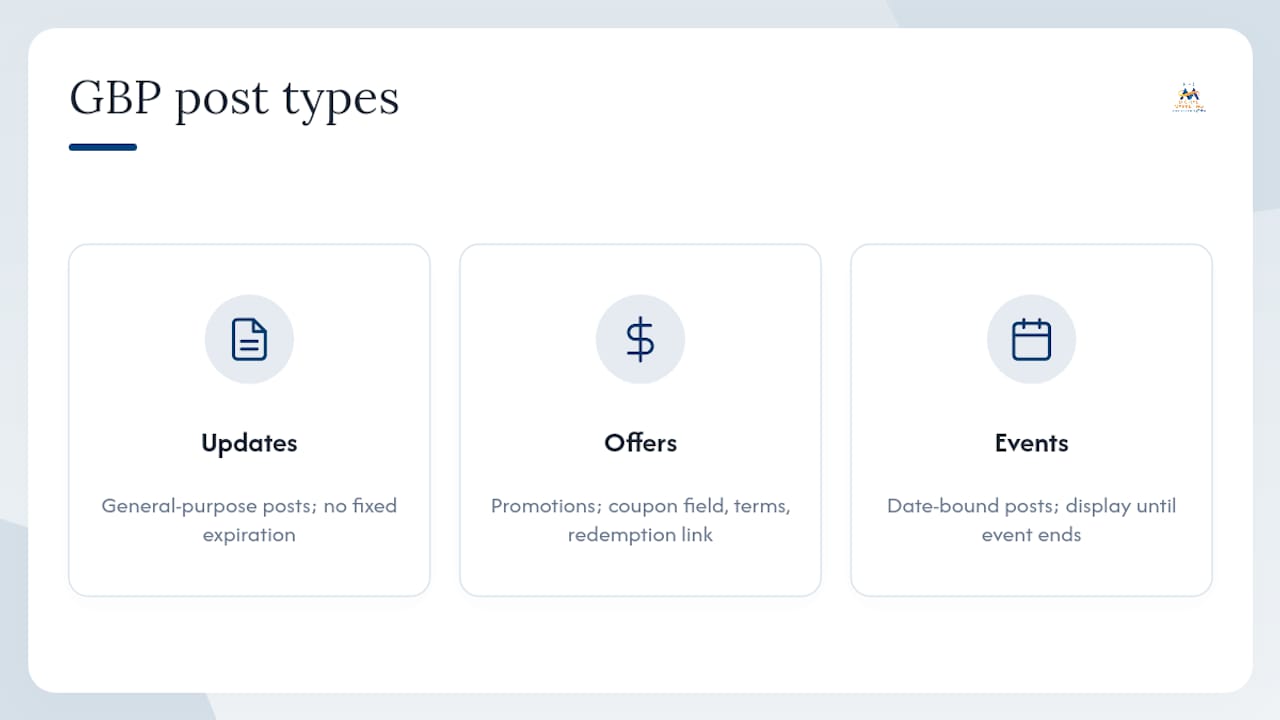
Updates are your general-purpose post. Use them to share news, announce new services, highlight team milestones, or push any message that does not have a hard expiration date. A plumber announcing a new drain-cleaning service or a B2B consultant sharing a case study both fit here.
Offers are built for promotions. They include coupon code fields, terms and conditions, and a redemption link, making them the highest-conversion post type when you have a genuine discount or limited-time deal. A retail shop running a weekend sale or a service business offering a first-appointment discount should default to Offers.
Events anchor to a date range and display prominently until the event ends. A restaurant hosting a wine tasting, a gym running a free trial week, or a B2B firm hosting a webinar all benefit from the Event format because Google surfaces them automatically on the profile during the active window.

Use Offers when you need immediate conversions. Use Events for time-bound activities. Use Updates to maintain freshness and topical relevance between promotions.
Where your posts actually appear to customers
Posts surface in several places, and the placement differs by device. On mobile, customers see posts in the Updates tab and the Overview tab of your Business Profile in Google Search. On desktop, posts appear in the "From the owner" section, which sits lower in the profile panel and gets less immediate attention than the mobile layout.
Featured posts on mobile get the most prominent treatment: they display as a card near the top of the profile, above the reviews section. Google may also pull event and offer posts into the profile automatically when those date ranges are active, giving them extra visibility without any additional action on your part.
The practical implication is that most of your customers will see posts on a phone, not a laptop. Write post text and select images with a vertical or square crop in mind. The first 100 characters of your description carry the most weight because that is what displays before the "Read more" truncation on mobile.
Pro Tip: Cross-post your GBP updates to your social channels the same day you publish them. You get two placements from one piece of content, and the social engagement can reinforce the trust signal your GBP post is already sending.
How to create, schedule, edit, and delete a GBP post
The Google Business Profile management interface is your primary entry point for all post actions. Here is the step-by-step process for both web and mobile.
On the web (Business Profile manager):
- Sign in to your Google account and search for your business name, or go to business.google.com.
- Click "Add update," "Add offer," or "Add event" depending on your post type.
- Write your description, upload your image or video, and select a CTA button.
- For Offers, fill in the coupon code, terms, and redemption link fields.
- For Events, set the start and end date and time.
- Click "Post" to publish immediately, or use the scheduling option to set a future publish date.
On mobile (Google Maps or the Business Profile app):
- Open Google Maps and tap your profile photo, then "Your Business Profiles."
- Select your business, then tap "Promote" or the post icon.
- Choose your post type, add your content, and tap "Post."
To edit a live post, return to the post in your profile manager, tap the three-dot menu, and select "Edit." To delete, select "Delete" from the same menu. When managing multiple locations, use the Business Profile manager's bulk tools to post across profiles simultaneously rather than repeating the process location by location.
Pro Tip: Schedule posts for Tuesday through Thursday mornings. Engagement on GBP posts tends to track with general search behavior, which peaks mid-week. Publishing at 8–9 AM local time means your post is live when your audience starts their workday searches.
Post fields, character limits, image specs, and CTA options
Knowing the exact constraints prevents rejections and ensures your post renders the way you intend. Google's guidelines recommend adding descriptive titles and complete relevant details for offers and events.
Key field limits:
- Description: up to 1,500 characters; aim for 150–300 for mobile readability
- Event/offer title: up to 58 characters
- Coupon code: up to 58 characters
- Terms and conditions: up to 1,500 characters
Available CTA buttons: Book, Order online, Buy, Learn more, Sign up, Call now, Get offer.
Use "Call now" instead of typing your phone number in the post text. Including a phone number in the description text is one of the most common rejection triggers.
For Schema markup, the structured data fields map directly to GBP event post fields: name, startDate, endDate, location, and description. Adding Event schema to your website's event pages reinforces the same information Google reads from your GBP event post, giving search engines a consistent signal from two sources.
Pro Tip: Use authentic photos taken at your actual business location rather than stock imagery. Real photos build local trust and tend to generate higher click-through rates on mobile profiles.
How long posts stay live and how expiry works
Standard Update posts do not expire on a fixed schedule, but Google archives older posts over time. The practical effect is that posts older than several months may no longer display prominently in the active feed, even if they are technically still live.
Offer and Event posts behave differently:
- They display prominently until their end date passes.
- Once the end date is reached, they move to an archived state automatically.
- If you set a start date but no end date for an event, Google defaults to treating the event as a single-day occurrence.
- If you set no dates at all on an Offer, it may display indefinitely until you remove it manually.
Recurring posts are available for some post types through the scheduling interface. Use them for content that genuinely repeats, such as a weekly special or a standing monthly event. Do not recycle the exact same text and image on a weekly basis without variation; Google's systems can flag repetitive content as low-quality, and customers who see the same post repeatedly are less likely to engage.
Pro Tip: Rotate at least the image and the first sentence of any recurring post. Even a small variation signals fresh content to Google and keeps the post from looking stale to returning visitors.
Google's content rules and the most common rejection reasons
Google reviews every post against its posts content policy. Understanding what triggers rejection saves you the time of resubmitting and protects your profile from broader flags.
Prohibited content categories:
- Adult or sexually explicit content
- Dangerous or illegal products and services (including regulated goods like firearms or controlled substances without proper context)
- Hate speech, harassment, or violent content
- Misleading claims or impersonation
Common technical rejection triggers:
- Phone numbers typed into the post description text (use the "Call now" CTA instead)
- Links to sites Google considers untrusted or that redirect through suspicious domains
- Watermarked or low-resolution images that violate the photos and videos policy
- Promotional language that makes unverifiable superlative claims
Post status values you will see:
- Live: the post passed review and is visible to customers.
- Pending: Google is still reviewing the post; this usually resolves within a few hours.
- Not approved: the post violated a policy; edit and resubmit or contact support.
Quick do/don't checklist:
- Do: use the built-in CTA button for phone calls and bookings
- Do: link only to pages on your verified business website
- Do: use clear, accurate descriptions of what you are offering
- Don't: include phone numbers, email addresses, or social handles in the post body
- Don't: use all-caps text or excessive punctuation
- Don't: post content about regulated goods (alcohol, gambling, healthcare) without meeting Google's category-specific requirements
For a full breakdown of suspension risks and how to protect your profile, the GBP suspension guide covers the latest policy changes in detail.
Optimization checklist and ready-to-use post templates
Good posts follow a simple structure: lead with the main benefit, use plain language, and close with one clear CTA. Google's own guidance reinforces this: descriptive titles and complete details consistently outperform vague or incomplete posts.
Five post archetypes that work in practice:
- Money post: Announce a specific offer or discount. Format: "[Service/product] for $[price] through [date]. [CTA: Book now / Get offer]."
- SEO juice post: Answer a question your customers search for. Format: "Looking for [service] in [city]? Here is what to expect from our [specific process]. [CTA: Learn more]."
- AI feeder post: Write a short, factual answer to a common customer question. Format: "Q: [Common question]. A: [Direct answer in 2–3 sentences]. [CTA: Call now]."
- Social proof post: Share a specific result or highlight a review theme. Format: "[Number] customers chose us for [service] this month. Here is what they said: [paraphrased theme, not a fabricated quote]. [CTA: See reviews]."
- Human connection post: Show the people behind the business. Format: "Meet [team member name], our [role]. [One sentence about their expertise or a recent win]. [CTA: Learn more]."
Optimization checklist before you publish:
- CTA button selected and linked to the correct destination
- Image is 1200 x 900 px, under 5 MB, and shows your actual business or team
- First 100 characters contain the core message (mobile truncation point)
- No phone numbers, email addresses, or social handles in the description text
- Offer or event dates are set correctly
- Post type matches the content (Offer for discounts, Event for time-bound activities)
For broader profile optimization that supports your posting strategy, the Google Business Profile optimization guide covers categories, attributes, and services in depth.
How to view post performance and which metrics matter
Google exposes post performance data through the Insights section of your Business Profile. To access it, go to your profile manager, select "Performance," and filter by the date range that covers your posting period.
Metrics available for posts:
- Views: how many times the post appeared in Search or Maps
- Clicks: how many times a customer clicked the CTA button or the post itself
- Call clicks: specific to "Call now" CTA posts
Views tell you about reach. Clicks tell you about intent. The ratio between the two (your click-through rate) is the number that actually indicates whether your post copy and image are working.
To connect post activity to real conversions, add UTM parameters to any URL in your post's CTA link. A simple structure like ?utm_source=gbp&utm_medium=post&utm_campaign=offer-july lets Google Analytics 4 attribute website visits, form fills, and purchases back to the specific post that drove them.
Measurement approach:
- Run a defined posting mix for four weeks before drawing conclusions
- Track views and CTA clicks weekly, not daily (daily variance is too noisy)
- Compare CTR across post types to identify which format your audience responds to
- Use the conversion data from UTM-tagged links to calculate cost-per-lead from your posting effort
The community best practices guide reinforces that regular posting acts as an engagement and freshness signal, but the signal only compounds when you measure and iterate rather than post and forget.
Common problems and how to fix them fast
Most GBP post issues fall into three categories: the post is not showing, the post is stuck in Pending or Not approved, or the post is live but generating no engagement.
Post not showing — diagnostic checklist:
- Confirm your profile is verified and in good standing (unverified profiles do not display posts)
- Check the post status in your profile manager; "Live" does not always mean immediately indexed
- Review the post against the content policy for any overlooked violation
- Allow up to 24 hours for a newly published post to appear consistently across Search and Maps
- Check that your profile category and location data are complete; incomplete profiles can suppress post visibility
Low engagement — quick fixes:
- Replace stock images with real photos of your business, team, or work
- Rewrite the first sentence to lead with a specific benefit rather than your business name
- Switch the CTA button to one that matches the customer's likely next action (e.g., "Book" for appointment-based businesses, "Get offer" for promotions)
- A/B test two versions of the same post on different weeks and compare CTR
When to contact Google support:
If a post remains in Pending status for more than 48 hours, or if a post is marked Not approved and you cannot identify a policy violation, contact Google Business Profile support through the Help menu in your profile manager. Before you reach out, collect the post text, the image file, the post type, and the timestamp of submission. That information cuts the resolution time significantly. For profile-level issues that may be affecting post visibility, the ongoing verification guide covers how to maintain profile health and respond to re-verification requests.
Recommended posting cadence and a sample one-month calendar
Consistency matters more than volume. Publishing two to three posts per week gives Google a steady freshness signal without triggering the repetitive-content flags that come with daily posting of near-identical content. Community guidance consistently points to strategic, regular posting as the approach that builds local visibility over time.
| Week | Post 1 | Post 2 | Post 3 |
|---|---|---|---|
| Week 1 | Money post: current offer or promotion | SEO juice post: answer a local search question | Human connection post: team spotlight |
| Week 2 | Event post: upcoming event or webinar | AI feeder post: FAQ answer | Social proof post: review theme highlight |
| Week 3 | Money post: limited-time service bundle | SEO juice post: service area or process explainer | Update post: business news or milestone |
| Week 4 | Offer post: end-of-month deal | AI feeder post: second FAQ answer | Human connection post: behind-the-scenes |
Scaling and automation guidance:
- Use social media scheduling tools to draft and queue posts in advance, then publish manually to GBP to maintain control over the final content
- Batch-create four weeks of posts in one session, then schedule them across the month
- Rotate all five post archetypes across the calendar so no single type dominates
- Review cadence quarterly: if views are flat after eight weeks of consistent posting, adjust the content mix before increasing frequency
How GBP posts influence local visibility and a simple experiment you can run
Industry consensus, reflected in the GBP community best practices, is clear: posts are not a standalone ranking factor. They function as engagement and freshness signals that support local visibility alongside your categories, reviews, citations, and website authority. Regular, relevant posting improves topical relevance for specific services or locations and can increase the likelihood that your profile appears in AI-driven local answers.
Google's systems crawl and index GBP posts as first-party content. An AI feeder post that directly answers "Does [business type] in [city] offer [specific service]?" gives Google a structured, authoritative answer it can surface in local AI summaries. Pairing that with local business schema on your website reinforces the same signals from two sources.
A simple four-week experiment you can run:
- Baseline week: Record your current profile views, search impressions, and CTA clicks from the Insights tab. Note your average weekly numbers.
- Weeks 2–4: Publish two to three posts per week using the five-archetype rotation. Tag all CTA links with UTM parameters.
- Measure: At the end of week four, compare views, clicks, and UTM-attributed conversions against your baseline.
- Interpret: An increase in CTA clicks and UTM conversions with flat or growing views suggests your post content is improving intent capture. Flat clicks with growing views means your copy or CTA needs work.
This experiment gives you a real, business-specific data point rather than relying on general industry claims. Run it before scaling your cadence or investing in post automation tools.
An agency perspective on making GBP posts work
The most common mistake local businesses make with GBP posts is treating them as a broadcast channel rather than a conversion tool. Publishing a post that says "We are open for business" does nothing for a customer who is already searching for exactly what you offer. The post has to meet them at the decision point.
At Digital Marketing All, the posting workflow for clients prioritizes money posts and AI feeder posts first, because those two types directly influence whether a searcher becomes a lead. SEO juice posts and social proof posts fill the calendar around them, maintaining freshness and building trust signals over time. Human connection posts go in when there is a genuine story to tell, not on a forced schedule.
The workflow itself runs on a four-week cycle: content calendar drafted and approved in week one, posts scheduled and published in weeks two through four, performance reviewed at the end of the cycle, and the next calendar adjusted based on what the data shows. Approval steps matter because a single policy violation can flag the entire profile, not just the individual post.
The three-week test window Digital Marketing All uses with new clients (one week of baseline measurement, two weeks of active posting) consistently shows that even a modest increase in posting frequency produces measurable changes in profile views and CTA clicks. The businesses that see the strongest results are the ones that commit to the cadence and iterate on content, not the ones that post sporadically and hope for the best.
Digital Marketing All manages your GBP posting so you can focus on your business
Running a consistent, policy-compliant GBP posting schedule takes time most business owners do not have. Digital Marketing All handles the full workflow: content calendar creation, post writing and image selection, scheduling, policy compliance review, and monthly performance reporting. Clients get regular activity signals on their profile, improved CTR on their posts, and a clear monthly report showing which post types are driving calls, bookings, and website visits.
The service pairs managed posting with reputation management and review generation, so your profile stays active and credible at the same time. Onboarding takes one strategy call to align on your business goals, service areas, and posting priorities. From there, the team handles execution on a recurring retainer basis, with no long-term lock-in required.
Ready to put your GBP posting on autopilot? Contact Digital Marketing All to request a profile audit and get a custom posting plan built for your business.
Sources
- Create & manage posts on your Business Profile
- Schema
- Get Listed on Google - Google Business Profile
FAQ
What should I post on my Google Business Profile?
Post a mix of Offers, Events, and Updates that match your current business goals. A practical rotation includes a conversion-focused offer, a local SEO post answering a common customer question, and a trust-building update or team post each week.
How do I see my Google Business Profile posts?
Sign in to your Google account, search for your business name, and select "View profile." Your posts appear in the Updates tab. Post performance metrics (views and clicks) are available under the Performance or Insights section of your Business Profile manager.
How do Google Business Profile posts work?
GBP posts are short updates you publish through your Business Profile that appear in Google Search and Maps when customers view your profile. They can include text, images, videos, and a CTA button, and Google reviews each post against its content policy before making it live.
What are the rules for Google Business Profile posts?
Google's content policy prohibits phone numbers in post text, links to untrusted sites, adult content, misleading claims, and regulated goods content without meeting category requirements. Posts that violate these rules receive a "Not approved" status and must be edited and resubmitted.
How often should I post on my Google Business Profile?
Two to three posts per week is the recommended cadence for most local businesses. Consistency signals freshness to Google more effectively than sporadic bursts of posting, and rotating across post types keeps the content relevant to different customer intents.