

Google Business Profile categories are the labels Google uses to match your business with local searches on Maps and in Search results. The single best move for most owners: choose the most specific primary category that matches your main revenue-driving service, not a broad umbrella term. You get one primary category and up to nine secondary categories, chosen from a taxonomy of several thousand options.
TL;DR:
- Using the most specific primary category relevant to your core revenue service improves search visibility and prevents unnecessary competition with unrelated businesses.
- Google’s taxonomy includes thousands of options, so choosing the closest and most accurate match after competitor research enhances ranking potential and profile features.
- Adding secondary categories should be based on actual current services and supported by relevant website content, not aspirational or unrelated offerings.
- Changing your primary category should be reserved for genuine business shifts, and it may trigger a temporary ranking dip or re-verification, so plan carefully.
- Regularly review competitor categories and ensure your services, reviews, photos, and website content consistently reinforce your chosen categories for sustained local SEO success.
Table of Contents
- What Google Business Profile Categories Actually Do
- How to Choose the Right Primary and Secondary Categories
- How to Research What Categories Your Competitors Use
- Where to Find the Complete Category List and Sample Categories
- Common Mistakes and How Category Errors Hurt Visibility
- Should You Fix Categories Yourself or Bring in Help?
- Official Resources for Google Business Profile Categories
- Sources
- FAQ
What Google Business Profile Categories Actually Do
Categories decide two things at once: which searches you're eligible to appear in, and which competitors Google measures you against. Pick "Italian Restaurant" instead of "Restaurant" and you stop competing with every burger joint in town for a search you were never going to win anyway.
Google splits categories into two tiers, and they don't carry equal weight. The primary category is the one displayed publicly under your business name, and it's the heaviest signal Google uses when deciding whether your profile deserves a spot in local search results. Secondary categories widen your net. They tell Google about additional services you offer, but they influence ranking far less than the primary choice.
Category selection also unlocks or blocks specific profile features. A restaurant category can trigger a menu link and food ordering options. A category tied to appointments can surface a booking button. Retail categories can activate product galleries. Pick the wrong category, and those features simply never appear, no matter how good your website or photos look.
A few misunderstandings trip up business owners constantly:
- Categories are not free-text keywords. You select from Google's fixed list. You cannot type "best pizza near me" as a category.
- Categories should not describe attributes, amenities, or payment methods. "Wheelchair Accessible" or "Cash Only" belong in your business attributes, not your category field.
- A category should reflect what your business is, not everything it occasionally does. Google's own guidance says to use as few categories as possible while still representing your business as customers actually recognize it, according to Google's representation guidelines.
- Listing a category for a service you don't primarily offer, just to appear in more searches, violates Google's policy and puts your listing at risk.
Pro Tip: If you're torn between two categories, search Google Maps for both terms in your city. Whichever term returns more local competitors with active listings is usually the one customers actually search.
Google's own support documentation is blunt about the core rule: choose the most specific category that accurately describes your core business, and don't use categories as a workaround for keyword stuffing, according to Google's category guidance. That single sentence resolves more category disputes than any tool or spreadsheet ever will.
How to Choose the Right Primary and Secondary Categories
Picking categories isn't guesswork if you follow a process. Here's the framework local SEO practitioners actually use, broken into steps you can complete in under an hour.
Step 1: Name your core revenue driver in one phrase
Before you open Google Business Profile, write down the single service or product that generates most of your revenue. Not everything you do. Just the thing that pays the bills.
A plumber who does 70% water heater installs and 30% general repair should write "water heater installation," not "plumbing services." A bakery that survives on wedding cakes shouldn't default to "bakery" if "Wedding Bakery" exists in the taxonomy. This step feels almost too simple, but skipping it is the number one reason business owners land on a category that's technically accurate but strategically weak.
Step 2: Search the taxonomy for the closest specific match
Open the category field inside your Business Profile and start typing your core phrase. Google's autocomplete will surface every category containing that term. Scroll through all of them before picking one. Business owners routinely grab the first result that fits reasonably well, then miss a narrower category two or three entries down that would have matched better.
If your exact business type isn't listed, Google's guidance says to fall back to the closest general category rather than picking something unrelated, according to its official support page. Document that fallback decision somewhere, like a spreadsheet, because you'll want to revisit it if Google adds a more specific option later.
Step 3: Validate against competitors ranking for your target keyword
Search Google Maps or Search for the exact phrase a customer would use ("emergency plumber Denver," "wedding cake bakery"). Look at the top three to five results and note their visible primary category.
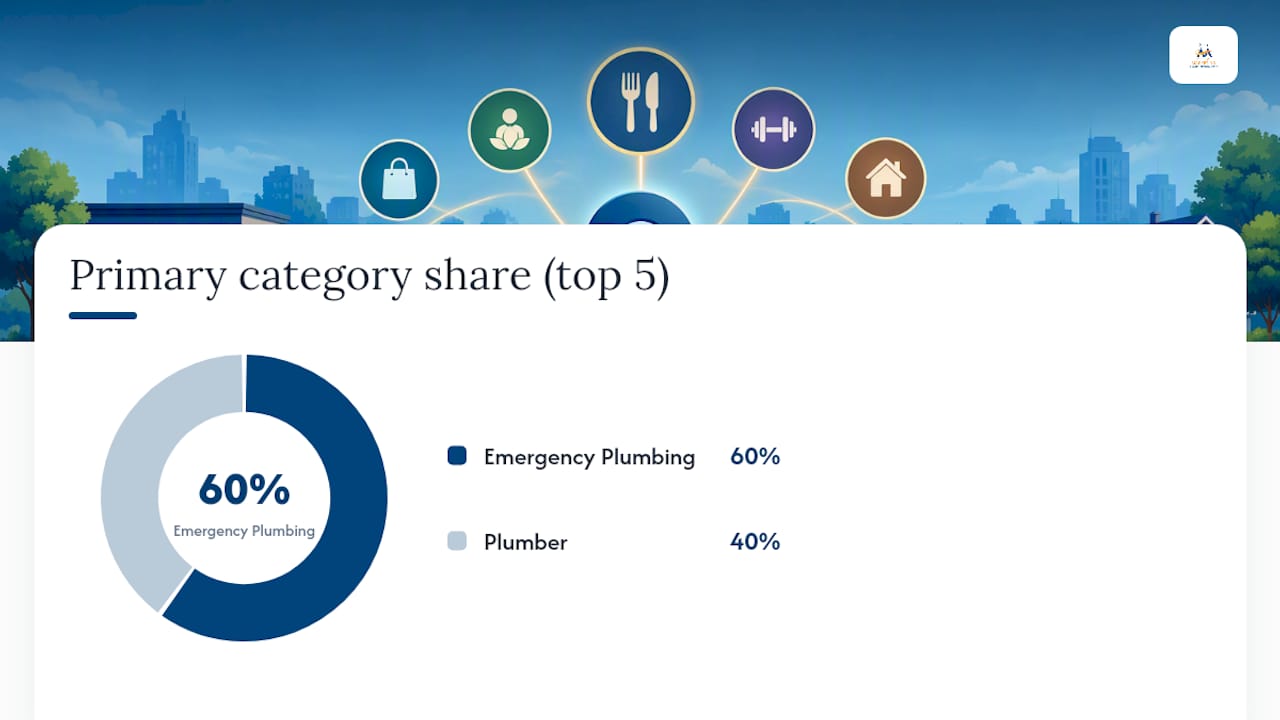
If four out of five top-ranked competitors use "Emergency Plumbing Service" and you're sitting on "Plumber," that's a real signal, not a coincidence. Practitioners treat this kind of competitor sampling as one of the most reliable ways to confirm which category Google actually rewards for a given search term, a method backed by local SEO guidance on category selection.
Step 4: Add secondary categories that are true, not aspirational
Most well-optimized profiles run one primary category plus two to four secondaries, though Google technically allows up to nine, according to category-weighting research. Add a secondary only if you genuinely offer that service today, and map each one to an actual service or page on your website. A secondary category with zero supporting content on your site is a mismatch Google can eventually detect.
The audit checklist
Run through this list every time you touch your categories, and again quarterly even if you don't:
- Does your services list on the profile match every category you've selected?
- Does your website have a page or section addressing each category?
- Do your photos show the work tied to your primary category, not just your storefront?
- Do recent reviews mention the service your primary category describes?
- Have you set a recurring reminder to recheck categories every 90 days or after any service change?
When to change categories, and how to avoid destabilizing rankings
Change your primary category when your core business has genuinely shifted, not because a competitor outranks you this week. Swapping primary categories repeatedly confuses Google's understanding of your business and can cause a temporary dip in visibility while the algorithm recalibrates. If you're expanding services, add a secondary category first and watch performance for a few weeks before ever touching the primary.
One operational note: editing your category can trigger a re-verification request from Google, especially for profiles in sensitive categories like healthcare or legal services. Don't panic if a postcard or phone verification shows up after a category edit. It's routine, not a red flag on your account.
How to Research What Categories Your Competitors Use
You can't validate your category choice in isolation. You need to see what's actually working for the businesses currently outranking you, and there are three ways to get that data, ranging from zero effort to genuinely technical.
The manual method costs nothing and takes two minutes. Search your target keyword on Google Maps, click into each top competitor's listing, and read the category text displayed directly under their business name. That's their primary category, in plain view, no tools required.
The desktop trick reveals more than what's visible on the surface. Secondary categories don't show up in the Maps interface, but they're often embedded in the page's underlying code:
- Open the competitor's Google Maps listing on desktop.
- Right-click anywhere on the page and select "View Page Source" (or press Ctrl+U on Windows, Cmd+Option+U on Mac).
- Use the browser's find function (Ctrl+F) to search for "category" within the source code.
- Scan the surrounding text for category names that don't appear in the visible listing.
The API and export method is built for anyone comparing dozens of competitors at once, or agencies running audits across multiple client accounts. Google's own Business Profile API includes a categories.list endpoint that developers can query to pull stable category IDs and display names directly, according to Google's developer documentation. Category objects returned by the API can also include associated service types, which is useful if you're trying to map a business's declared services back to its category choice, per the Business Information API reference.
Once you've gathered five to ten competitor profiles, build a simple frequency table. It turns scattered observations into an actual decision.
| Competitor | Primary category | Secondary categories (if visible) |
|---|---|---|
| Competitor A | Emergency Plumbing Service | Plumber, Water Heater Repair Service |
| Competitor B | Plumber | Emergency Plumbing Service, Drain Cleaning Service |
| Competitor C | Emergency Plumbing Service | Plumber |
| Competitor D | Plumber | Water Heater Installation Service |
| Competitor E | Emergency Plumbing Service | Plumber, Sewer Cleaning Service |
Three out of five top-ranked competitors in this hypothetical example lean on "Emergency Plumbing Service" as their primary category. That's your signal to copy. What you shouldn't copy blindly is a category that appears only once, or one that looks like it doesn't actually match the competitor's core service. Sometimes a business ranks well despite a mismatched category because of overwhelming review volume or domain authority elsewhere, not because of the category choice itself.
Where to Find the Complete Category List and Sample Categories
Google doesn't publish a single downloadable PDF of every category, but the data is fully accessible if you know where to look. There are three practical paths, depending on how technical you want to get.
The official source is Google's own Business Profile developer API, specifically the categories.list endpoint. This is the canonical source of truth, since it returns the live taxonomy directly from Google's systems, including stable category IDs and current display names, according to Google's REST resource documentation. The catch is that it's built for developers. You need to make an API call, which means either writing a short script or having someone technical do it for you. It's the right choice if you're building a tool, managing dozens of listings, or need category IDs rather than just display names.
For everyone else, third-party exporters do the heavy lifting. Tools like PlePer maintain a searchable, regularly refreshed export of the entire taxonomy, filterable by country and language, which makes them genuinely practical for a business owner who just wants to browse or search the full list without touching an API, according to PlePer's category tool. Use a search-based tool like this when you want to explore naming conventions or confirm a category exists before you go hunting for it inside your Business Profile dashboard. Use the API when you need bulk data or programmatic access across many listings at once.
What the taxonomy actually looks like across industries
Seeing real category names side by side makes the naming logic click faster than any explanation. Here's a representative sample across major verticals, showing how specific Google's taxonomy actually gets:
| Industry vertical | Broad option | More specific option |
|---|---|---|
| Food and dining | Restaurant | Ramen Restaurant, Vegan Restaurant, Steak House |
| Home services | Contractor | Roofing Contractor, HVAC Contractor, Deck Builder |
| Health and wellness | Doctor | Pediatrician, Dermatologist, Physical Therapist |
| Retail | Store | Bicycle Shop, Vintage Clothing Store, Pet Supply Store |
| Automotive | Auto Repair Shop | Brake Shop, Transmission Shop, Tire Shop |
| Beauty | Beauty Salon | Nail Salon, Eyebrow Bar, Hair Extension Salon |
| Professional services | Consultant | Marketing Consultant, Tax Consultant, Wedding Planner |
Notice the pattern: almost every broad category has a narrower sibling buried a few clicks deeper in the taxonomy. "Store" alone is rarely the right answer for anyone. Somewhere in Google's list, there's almost certainly a category that matches your business more precisely than the generic term you'd reach for first.
Pro Tip: When you're stuck between two specific-sounding categories, check which one shows up more often among businesses with strong review counts and high ranking positions for your target search term. Popularity among successful competitors is a stronger signal than how the category name reads to you.
If your exact business type genuinely doesn't exist in the taxonomy, don't force an unrelated category just because it sounds close. Choose the closest legitimate match, and then reinforce that choice everywhere else on your profile, in your services list, website copy, and photos, so Google's algorithm has plenty of supporting context beyond the category label itself.
Common Mistakes and How Category Errors Hurt Visibility
Three mistakes account for most of the category problems Digital Marketing All encounters when auditing new client profiles: choosing a category that's too broad, choosing one that doesn't match the business at all, and stacking secondary categories that have no supporting content anywhere else on the profile.
The consequences aren't cosmetic. A mismatched category doesn't just underperform, it can flag a profile for review. Google's guidelines explicitly warn against representing a business as something it isn't, and profiles that violate this rule risk suspension, not just a ranking penalty, according to Google's representation policy. A landscaping company that lists itself under a medical category to chase unrelated traffic isn't gaming the system. It's inviting a suspension review.
Category choice also touches paid advertising and integrated services more than most owners realize. A category tied to a specific vertical can determine which ad extensions and local inventory features are available when running Google Ads tied to that listing. If your primary category doesn't match the service you're advertising, your ad relevance score suffers right alongside your organic visibility.
Digital Marketing All follows a four-stage workflow when auditing category selection for client profiles:
- Keyword mapping — identify the highest-value search terms tied to the client's core revenue service.
- Competitor sampling — pull primary and secondary categories from the top five to ten ranking competitors for those terms.
- Taxonomy matching — cross-reference the client's current category against the full taxonomy to confirm a more specific option isn't available.
- Profile reinforcement — align the services list, website content, structured data, and recent reviews so every signal on the profile agrees with the category choice.
The signals the agency cross-checks go beyond the category field itself: services listed on the profile, schema markup on the client's website, review language, and photo tagging all need to point the same direction. After a category change, expect a short adjustment window rather than instant results. Ranking positions typically show early movement around the two-week mark, begin stabilizing by six weeks, and settle into a clear pattern by twelve weeks, assuming no other major profile changes happened in between.
Should You Fix Categories Yourself or Bring in Help?
Swapping a secondary category or correcting an obviously wrong primary category is a low-risk task any owner can handle in an afternoon. Where it gets riskier is when category strategy needs to sync with a broader push, new service pages, structured data updates, a review generation campaign, because categories don't work in isolation. Google cross-references your category against your website content, your reviews, and your schema markup, and a mismatch across those signals undercuts the very change you just made.
If you're rebuilding visibility from scratch or expanding into new service areas, that's when a coordinated engagement, rather than a solo profile edit, tends to pay off. After any edit, verify the change stuck and watch your ranking positions over the following weeks rather than assuming the update is final the moment you save it.
Official Resources for Google Business Profile Categories
Bookmark these before you make any changes to your profile:
- Google's own category management and selection rules, straight from Business Profile Help.
- The Business Profile categories API documentation for developers pulling live taxonomy data.
- PlePer's searchable category export for browsing the full list by country and language without writing code.
Ready to stop guessing and get your local listing working the way it should? Digital Marketing All's Local Domination service handles category audits, competitor benchmarking, and full profile reinforcement as part of a hands-on Google Business Profile optimization engagement, starting at $450 one-time for the core package. For businesses that want ongoing, performance-tied support across search visibility as a whole, the Pay Per Result SEO program runs $650 to $2,500 per month and ties spend directly to measurable ranking outcomes.
Sources
- Manage your business category - Google Business Profile Help
- REST Resource: categories | Google Business Profile APIs | Google for Developers
- Google Business Profile Categories - Full List ( 2026 ) - PlePer Tools
FAQ
How many categories can a Google Business Profile have?
You can select one primary category and up to nine secondary categories, for a maximum of ten total. Most well-optimized profiles use far fewer, typically one primary plus two to four secondaries, according to research on category weighting.
What's the difference between primary and secondary categories?
The primary category is the one displayed publicly under your business name and carries the most weight in Google's local ranking calculations. Secondary categories expand which searches you're eligible for but influence ranking far less than your primary choice.
Can changing my category hurt my ranking?
Changing your primary category can cause a temporary dip while Google recalculates your relevance for different searches, though it typically stabilizes within several weeks. Editing categories can also trigger a re-verification request from Google, particularly for sensitive business types.
Where do I edit my Google Business Profile category?
Go to your Business Profile, select "Edit profile," and open the "Business category" section to add, remove, or change categories. Full setup guidance is available in step-by-step profile instructions if you're configuring a listing for the first time.
What happens if I choose the wrong category?
An inaccurate category can limit which searches you appear in, disable relevant profile features like booking buttons or menus, and in serious mismatch cases, put your listing at risk of suspension under Google's representation guidelines. The fix is straightforward: identify the closest specific match and update your services and content to match it.
How category choice fits into an overall local SEO strategy
Most owners treat category selection like a one-time checkbox, then wonder why their profile stalls out. That's backwards. Category is the foundation Google builds its relevance judgment on, but it's not the whole building. A perfectly chosen primary category sitting on a profile with three reviews and a website that never mentions the service you claimed is still a weak profile. Google increasingly cross-references what your category says against what your reviews, photos, and site content actually confirm. Get the category right first, since it's the cheapest fix and the fastest to execute, then spend the following weeks making sure everything else on the profile backs it up. Skip that second half, and you've optimized the label on an otherwise empty box.
— Diane O'Brien